| Lighting
Basics |
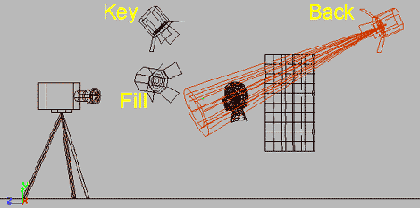
Effect3D Studio includes
4 individually controllable lights
|
Key light:
The primary light source |
Fill light:
The complement light to soften/brighten the shadow area
of an object. |
Back light:
The light positioned at the far side of an object, emphasizing
the silhouette of the object . |
 |
 |
 |
 |
 |
 |
| Light
Positioning |
| Positioning and
selectively using lights can dramatically change the atmosphere
of your project |
| 3 lights fully
lighting the scene |
Single light
from above |
Single light
from below |
Single light from the side |
Single light from behind |
| |
|
|
 |
 |
| Colored
Lighting |
| Correct coloring
of the lights, and even setting each light to a different
color can dramatically change the mood of your project
|
| Campfire
|
Disco
|
Moonlight |
Horror |
Outerspace |
| |
|
|
 |
 |
| Shadow
Types |
| Effect3D Studio includes
2 different shadows modes, Cast Shadow and Drop Shadow
|
| Cast
Shadow |
Drop
Shadow |
| |
|
| Cast
Shadow |
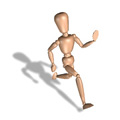
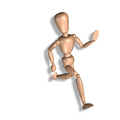
| A cast shadow is
a real shadow created by an object obstructing a light
source giving the perception of depth and realism |
| Cast
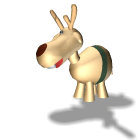
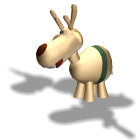
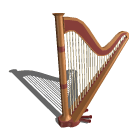
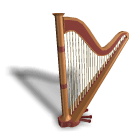
shadow from key light |
Shadow
cast from a different light |
Multiple
Shadows being cast |
| |
|
|
| Shadow
Blur & Opacity Parameters |
| These parameters can be
changed to alter the appearance of the shadow |
| Hard
shadow
(Blur=0, Opacity=60) |
Soft
shadow
(Blur=4, Opacity=60) |
Blurred
shadow
(Blur=7, Opacity=60) |
| |
|
|
| Light
shadow
(Blur=4, Opacity=30) |
Dark
shadow
(Blur=4, Opacity=80) |
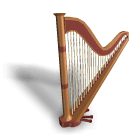
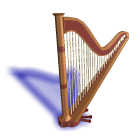
Colored
shadow |
 |
 |
 |
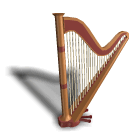
| Drop Shadow
|
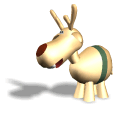
| A shadow created by an
image repeated behind itself slightly offset to create
the illusion that it is floating over its background
|
| No
Shadow |
Blur
= 4 Opacity = 40
Offset X = 2
Y = 3
(Default Setting) |
Blur
= 1 Opacity = 40
Offset X = 2
Y = 3 |
| |
|
|
| Blur = 2 Opacity
= 90
Offset X = 2
Y = 3 |
Blur = 2
Opacity = 40
Offset X = 4
Y = 6 |
Colored Shadow |
 |
 |
 |