FaceFilter has been discontinued from July 5th, 2019. We apologize for any inconvenience this may have caused.
Home
Product Info
What's New
Features
Showcase
System Requirements
Edition Comparison
Bonus Content
Review & Award
FAQ
Training Resources
Training Resources Home
Getting Started
User Manual
Manual PDF
Tutorials
Support
Support Center
Product Registration
Forum
Features
Home
>
FaceFilter3
>
Features
>
Skin Enhancement
Skin Enhancement
Editing Environment
Skin Enhancement
Facial Makeup
Expression & Reshaping
Photo Effects
Adjust Skin Color Tone
Skin can be colorized and enriched while not affecting the rest of the image.
Choose from various color tone templates to quickly balance back your skin tone to create a healthy, glowing or tanned look.
Select a desired shade for the skin tone with the color palette or color picker tool. (PRO Only!)
Slider adjust the Skin Tone level to determine the foundation color. (PRO Only!)
Dealing with Oily Skin
Skin often looks oily when using the camera flash. The Skin De-oil feature provides a sheer foundation to tone down the shine.
Instantly apply de-oil templates to remove glossy reflections, especially shine in the t-zone, cheekbones and chin.
Increase the level value to strengthen the effect.
Smooth Skin with Texture
Skin smoothing
The Skin Smooth setting preps your skin by refining the surface and evening out imperfections such as reducing wrinkles, lines, freckles, moles and birthmarks.
Select a template with different smooth levels that best fits your skin condition for a foundation.
To avoid a flawless, plastic-like appearance, the templates are blended with exquisite skin textures that help restore a natural look.
Choose from a variety of texture patterns to be blended onto over-smoothed skin. (PRO Only!)
Modify your own strength, deepness, and texture pattern size to match your face. (PRO Only!)
Skin texture
Click or mouseover to see the effect
Female
Male
Eye Bag Reduction
After the skin refinement and de-oiling steps, there may still be some imperfections under the eyes. For this, use the Eye Bag Reduction feature as a concealer.
Apply eye bag reduction templates to automatically generate masks that cover eye bags and dark circles, providing a revitalizing look.
Modify the strength value properly cover the area.
Click or mouseover to see the effect
Neck & Shoulder (PRO Only!)
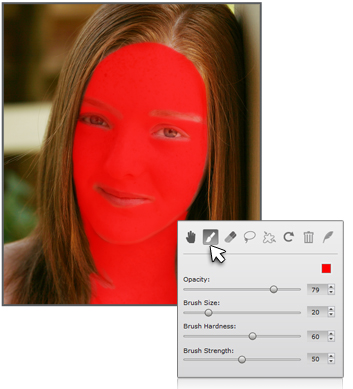
Use the advanced Mask Tools to select areas other than the face.
Determine the strength to conceal.