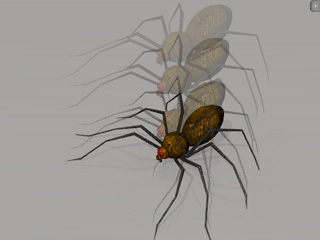
Individual Constrained Objects with Single Target (New for 5.1)
When you need to create a physics group that has one main component, while other parts connect to it and act with individual
physics behavior, then you can follow the steps below.
In the following example, you can create a spider with springing legs.
-
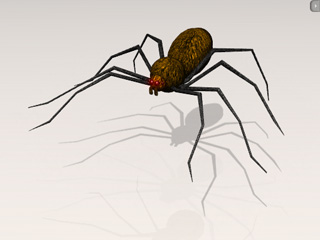
Apply a spider body and legs.
-
Set them as
Dynamic rigid body. If you play back, then they will initially scatter on the ground. You need to
constrain the legs to the body.
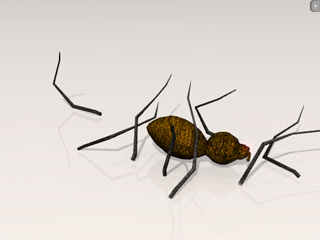
-
Go to the first frame.
-
Adjust the pivot of the
all legs.
-
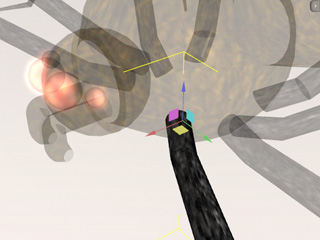
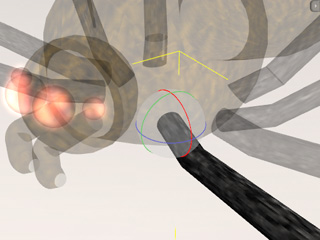
Turn on the Gizmo
(Shortcut: Ctrl + Q) mode. Make sure the pivot of the leg is set to the root of the leg.
-
Change to the Local Rotate tool (press E key to toggle), make sure the leg is rotated according to the Local X axis.
-
Select one of the legs.
-
Click the Constraint Settings
 button and apply a
Spring constraint to the leg
(Please refer to The
Basic Workflow of Using Constraint section for more information).
button and apply a
Spring constraint to the leg
(Please refer to The
Basic Workflow of Using Constraint section for more information).
-
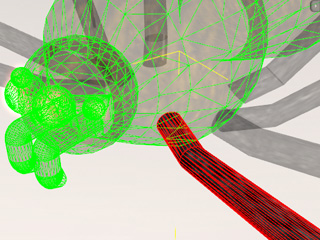
In the Constraint Settings (Shortcut: Ctrl + F10) panel, click the Pick Target
 button and pick the body so that the leg is constrained to the body.
-
Set the (Min, Max) values
to (-180, 180), and the Rest Point to 0. Please
refer to the Spring and the
Setting Constraint Limits sections for more information.
-
Select all the other legs; repeat step 6 to 8 to apply Spring constraints to them.
-
Play to simulate.