TURN 3D HEAD MODELS INTO FULLY RIGGED CHARACTERS
Headshot harnesses high-tolerance AI to handle diverse mesh conditions. It excels at taking severely flawed models and effortlessly transforming any static 3d head into a professional, fully rigged character.

CREATE DIGITAL HUMAN FROM PROVIDER ASSETS
- Photogrammetry
- Digital Sculptures
- Mobile 3D Scanning
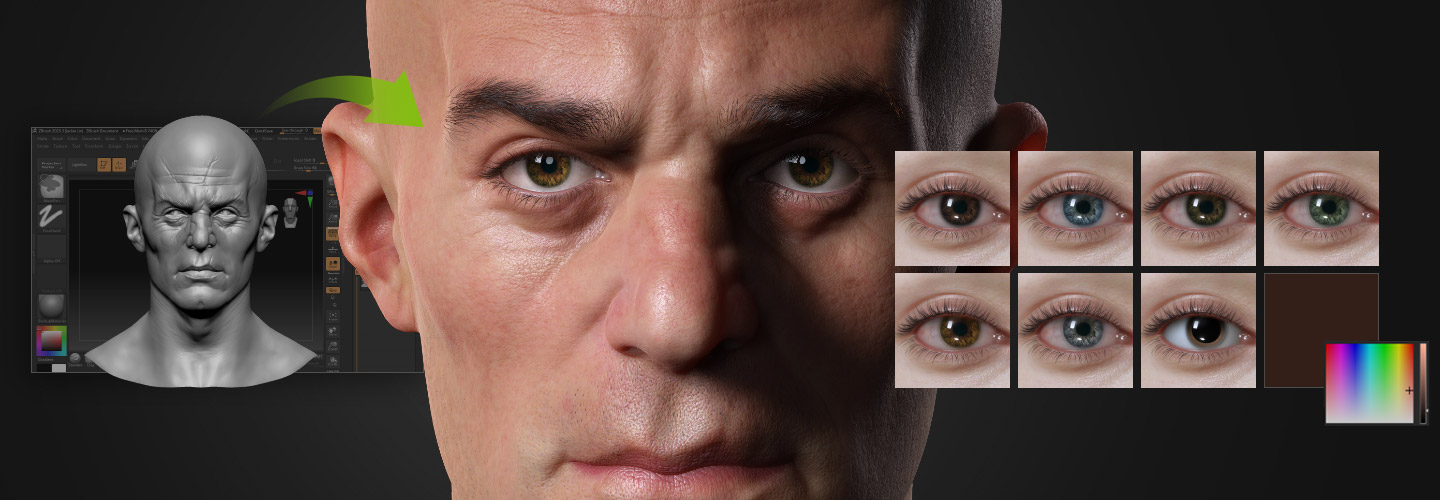
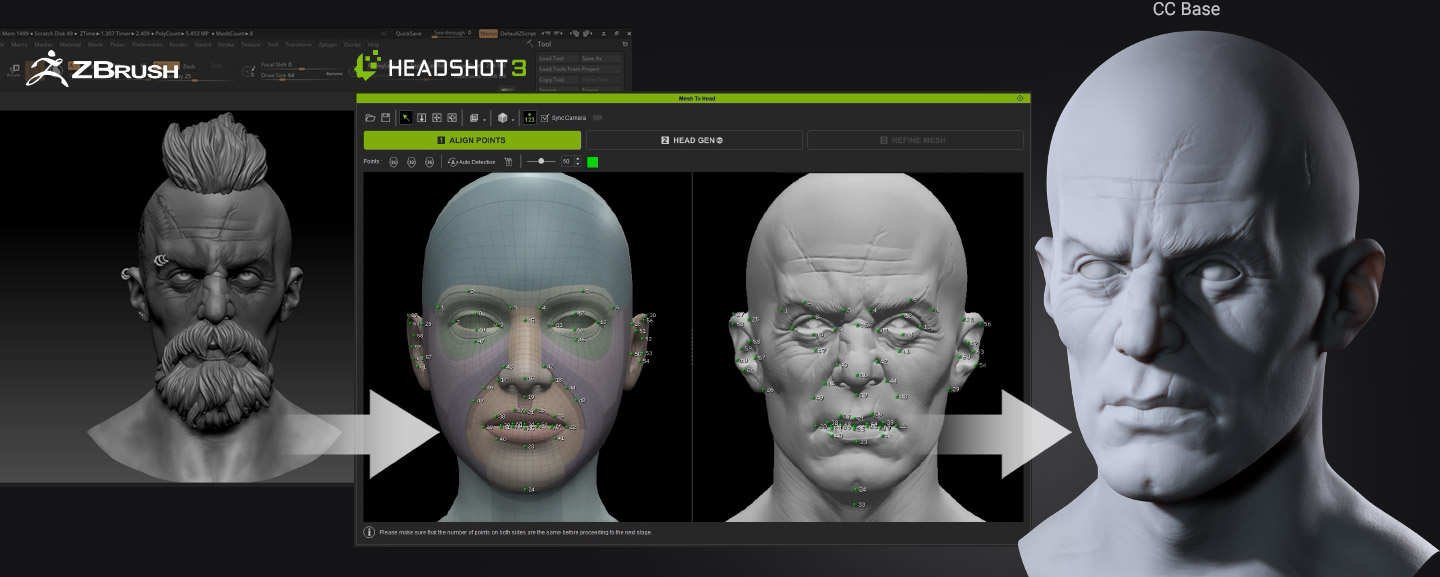
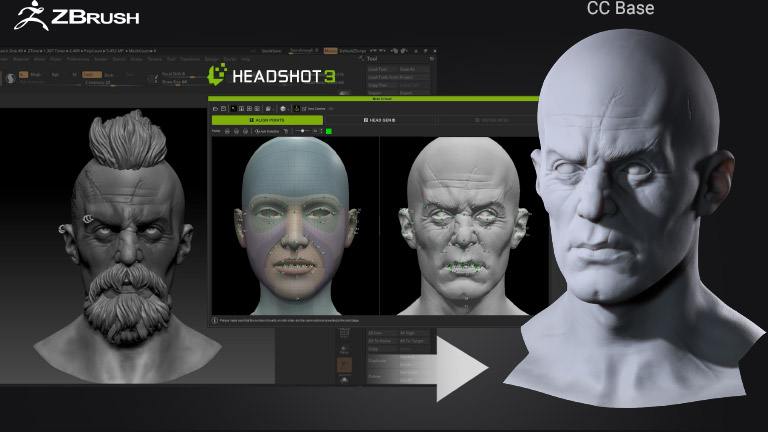
In the media entertainment industry, digital sculptors skilled in tools like ZBrush and Blender create high-definition 3D characters for intellectual properties. Headshot simplifies the process by seamlessly converting these highly detailed models, regardless of whether they are realistic or stylized, into real-time characters.
BRING IN STYLIZED CHARACTERS
Cubic Styles & Sharp Lines
Accurate depiction of eye blinks and iconic expressions on stylized characters with exaggerated eye sockets and angular contour lines relies on precise alignment of mesh points and edges. Headshot's distinctive normal baking technology makes this achievable.
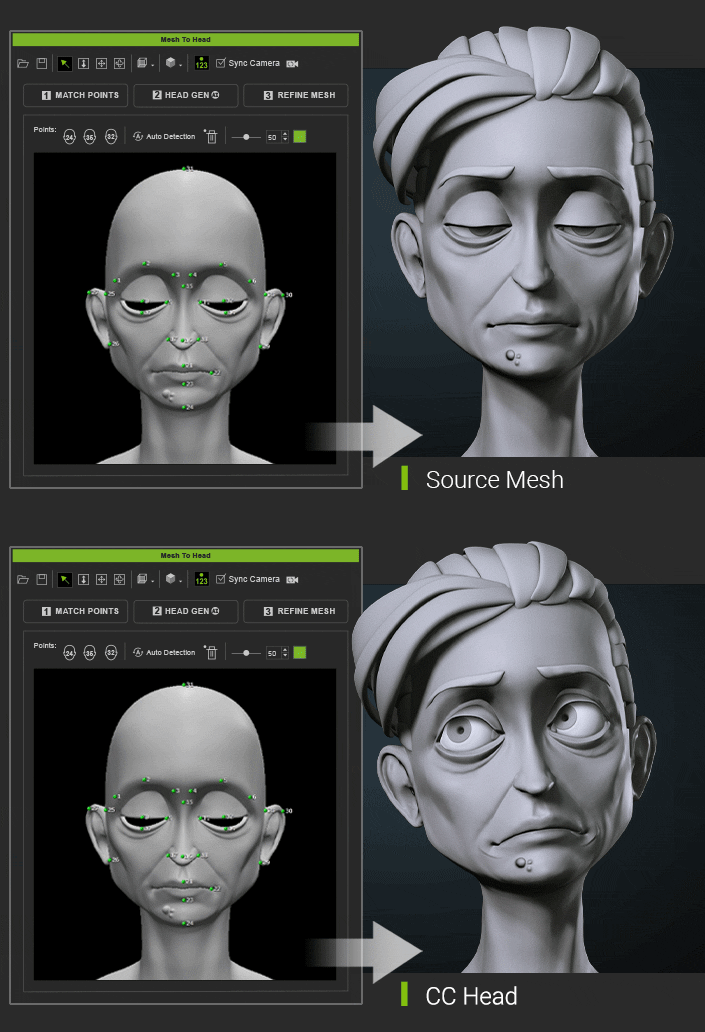
Extreme Head & Neck Shapes
For stylized creatures with a bold design, achieving resemblance is made easier by adding additional alignment points to define exaggerated areas like the ears and neck. These specific details can also enhance the otherworldly characteristics of the creatures.
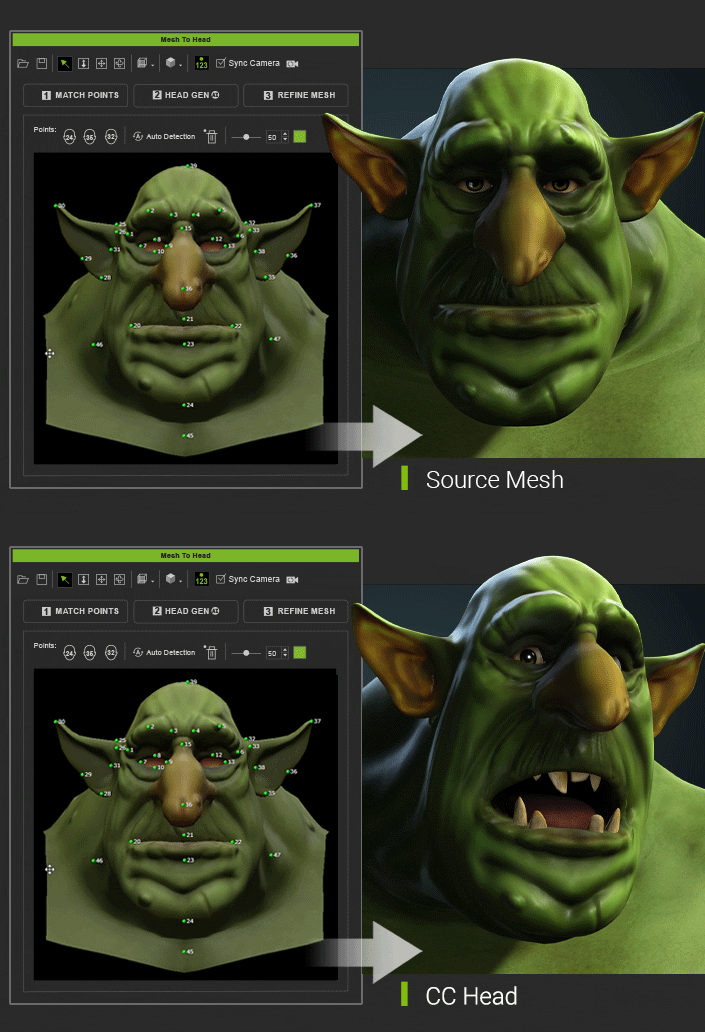
INTUITIVE WRAPPING PROCESS
- 1. Auto Detect
- 2. Align Points
- 3. Head Gen AI
- 4. Refine Mesh
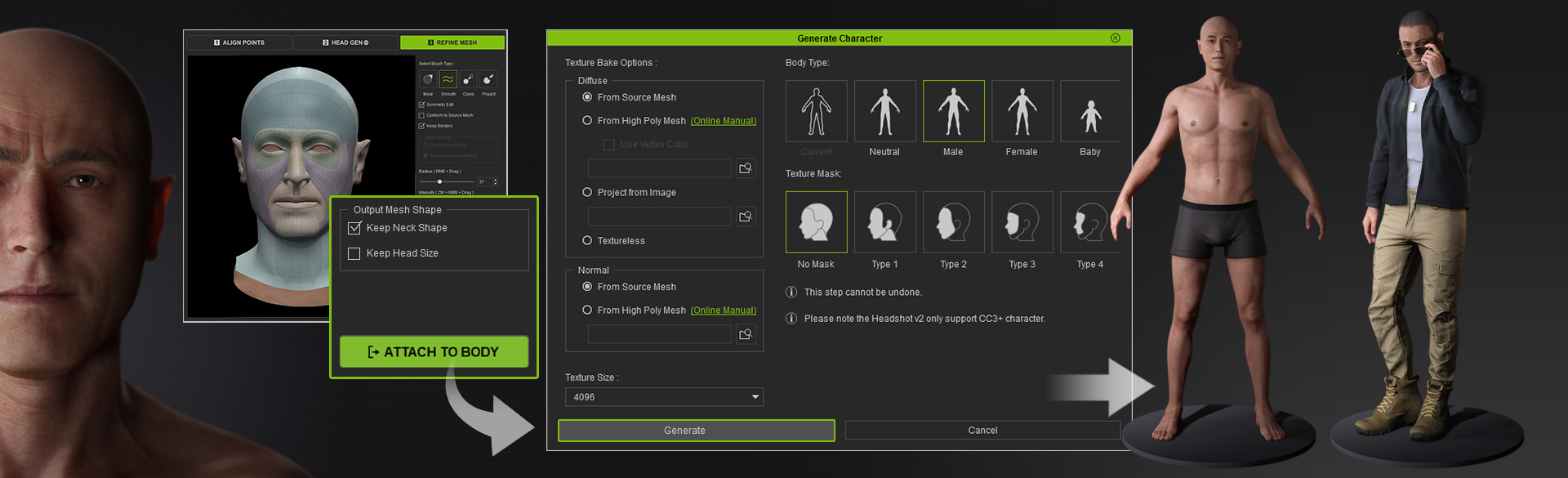
- 5. Attach to Body

Automatic Feature Detection
Get started quickly with three preconfigured options: 24, 32, or 35 alignment points. Alternatively, use auto detection to automatically populate the essential 24 alignment points. By synchronizing the camera navigation, you can easily compare the positions of the alignment points between the source and target meshes.

Add Details with Extra Alignment Points
The system offers flexibility by allowing the addition of extra points to accommodate distinctive facial and body features. Whether it involves adding points for stretched elf-like ears or incorporating more points for a prominent hunched back, the system is fully compatible with any standout anatomy.

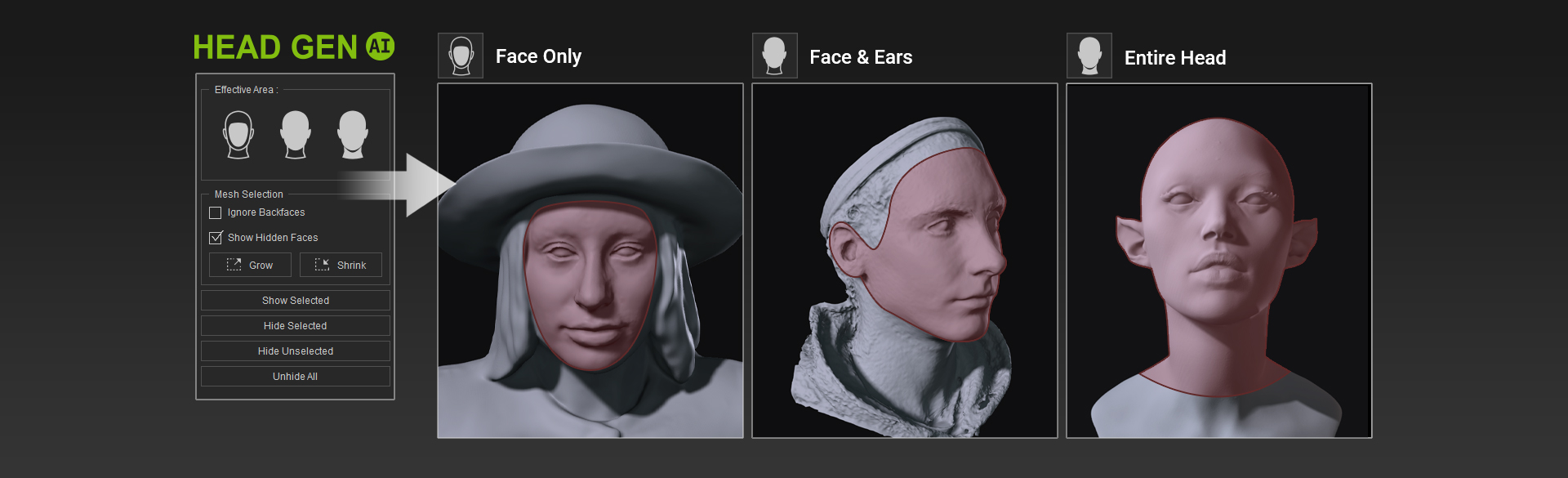
Generate 3D Heads Based on Effective Areas
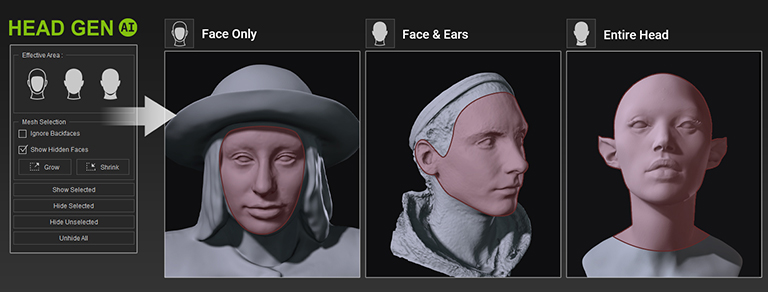
With the advanced capabilities of Headshot AI, you can effortlessly generate a comprehensive 3D head from a partial mesh. Enjoy the flexibility to choose which details to preserve according to your preferences, whether you prioritize the face, include the ears, or encompass the entire head. Regardless of your choice, Headshot 2 guarantees exceptional results delivered with speed and efficiency.

Refine Topology with 3D Brushes
Benefit from robust 3D brushes, which can efficiently project the head shape, smooth out topology, and optimize edge loops. This process not only enhances the likeness of the character but also enables improved performance with facial expressions, particularly in the areas of the eyes and mouth.
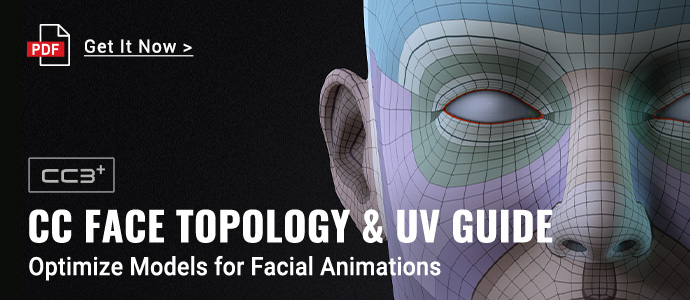
View the CC Face Topology Guideline (PDF) >
Brush Type
Brush Type

















Assign Body Shape & Bake Textures
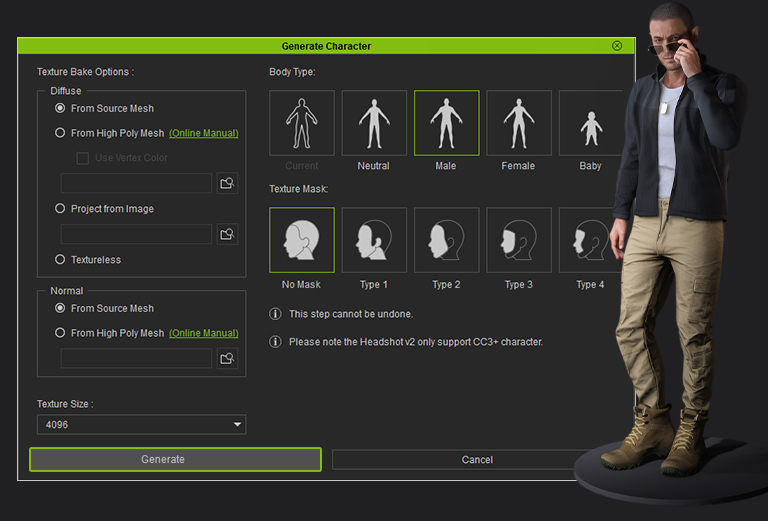
Effortlessly assign the suitable gender or body type to the generated head and ensure a seamless attachment with the corresponding neck shape. Achieve professional-grade results by utilizing image masking and a wide range of texture bake options. Refine the body type further using morph sliders at any point in the process for added customization.
TACKLING CHALLENGING SCENARIOS
- FACE
- ATTACH TO BODY
- PRESERVING HAIRSTYLE
Wrapping a sophisticated or creatively designed 3D head can present challenges and potentially yield unintended results. Headshot provides a multitude of options to effectively handle difficult cases, such as stylized eyes, ears, and even slightly parted lips. By employing specific techniques tailored to each situation, artists can confidently achieve their desired outcomes with precision.
Face
Face




The advanced body type options enable effortless retopology of the head, allowing for easy modifications using your own assets. The mesh wrap tools simplify the process of achieving a striking resemblance, even for stylized characters with unconventional neck shapes. Additionally, the body morph sliders offer precise control over the configuration of the character's physique.
Body Type
Body Type






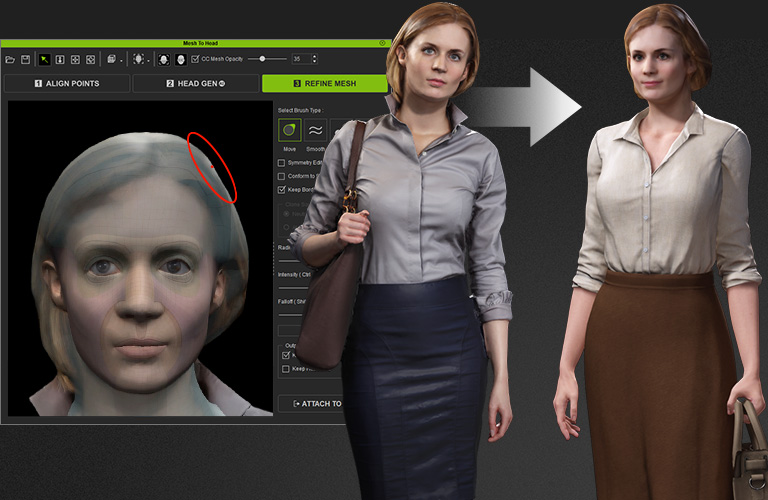
Maintaining the hairstyle is crucial to achieve a faithful resemblance between the source and target models. By designating the entire head as the effective area and using the "No Mask" option, the original hair shape and textures is kept intact, while editing tools offer surplus ways to clean and refine the final geometry.
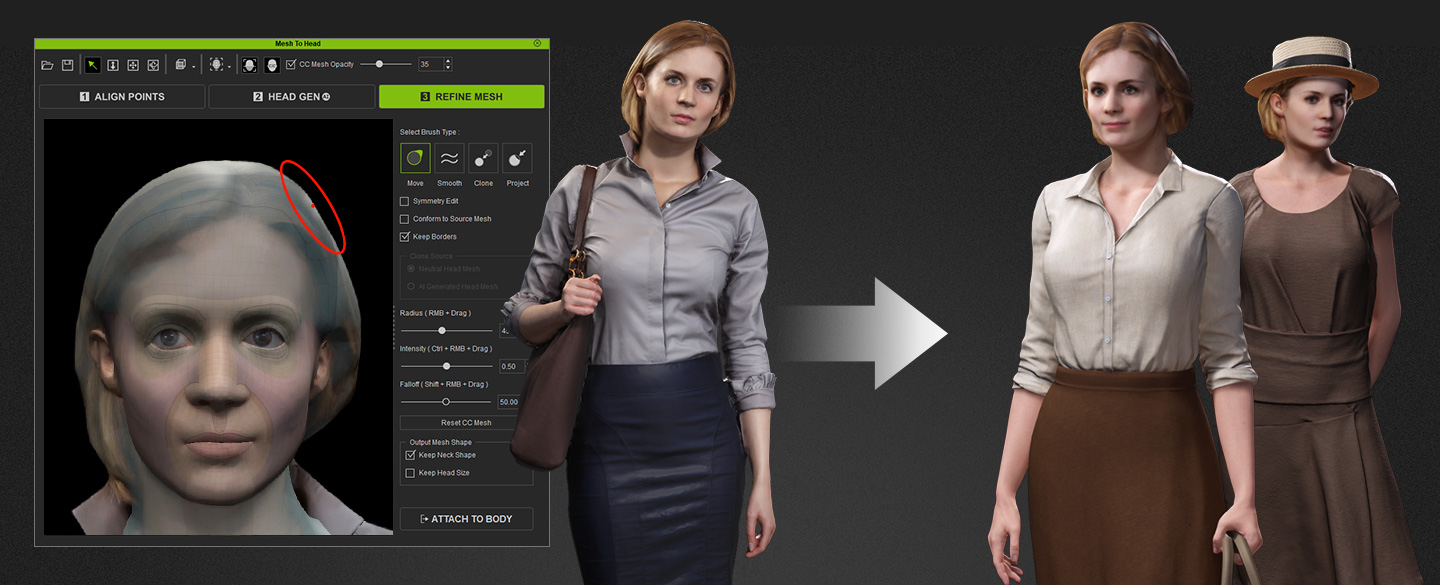
CC5 HD WORKFLOW NEW!
- Subdivision Output
- Texture Baking
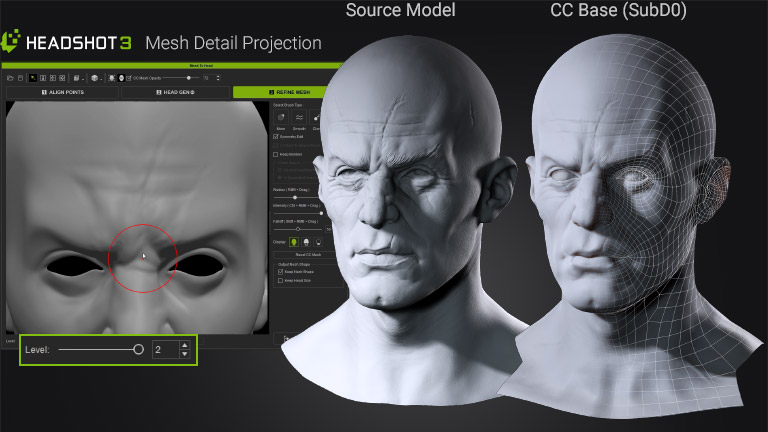
Choose to wrap the source mesh to a selected subdivision level from SubD-0 to SubD-2. Keep the mesh lightweight for real-time games or preserve maximum detail for 3D printing and film production. Normal maps can also be baked based on the selected mesh level.
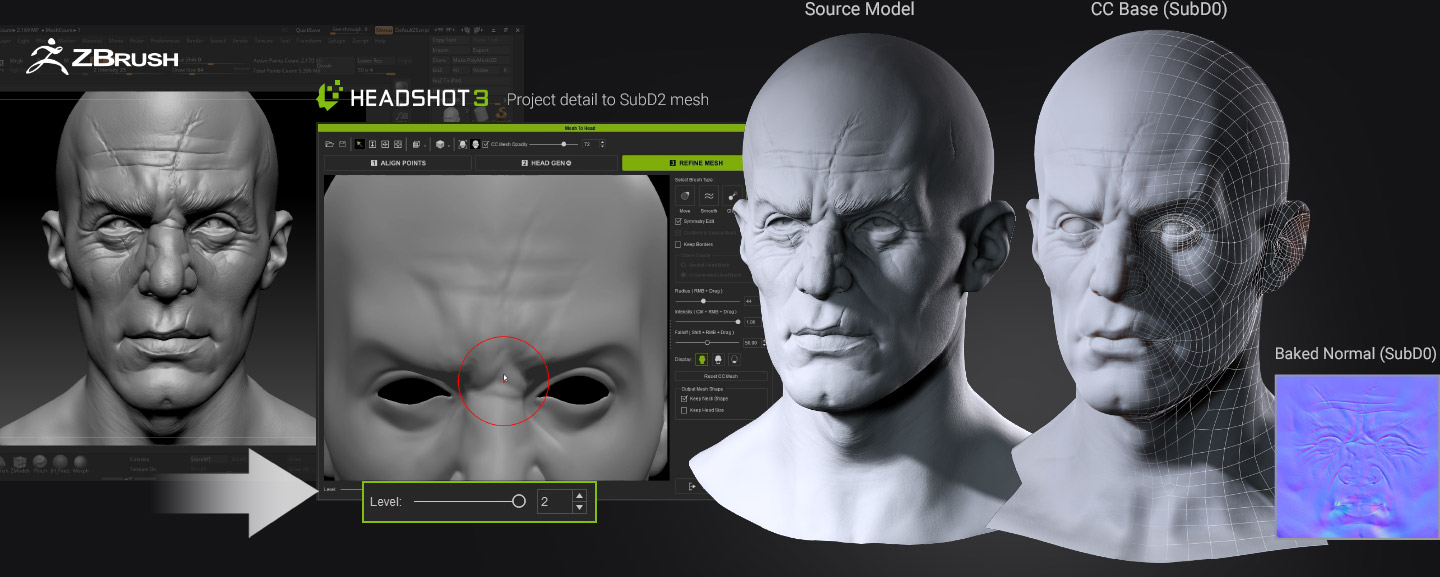
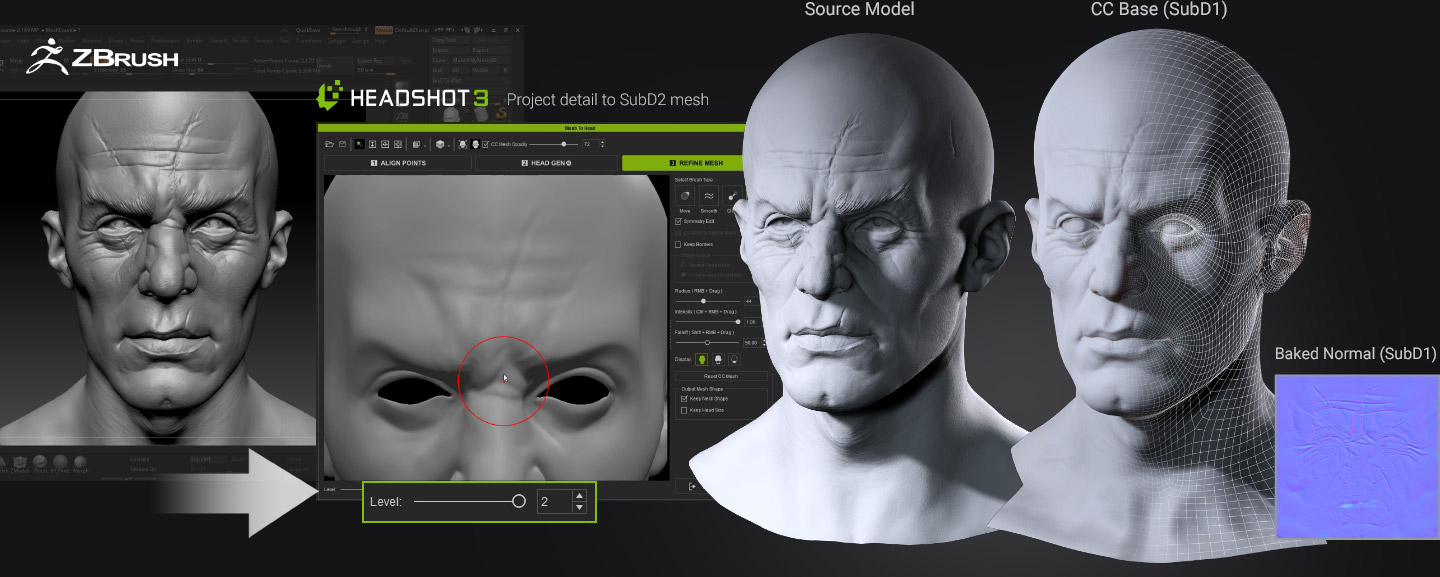
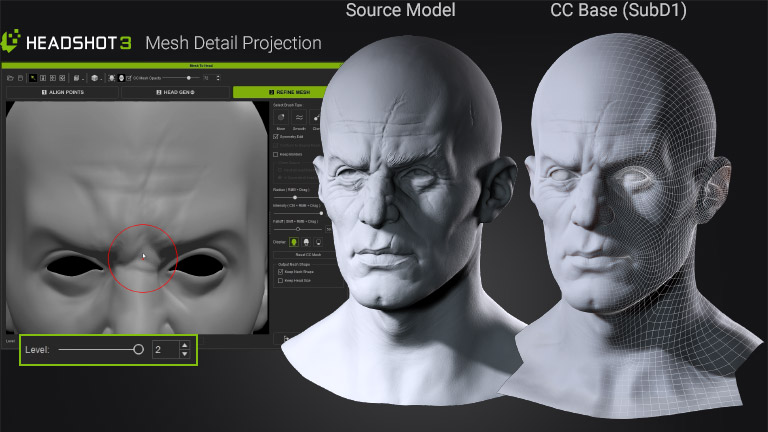
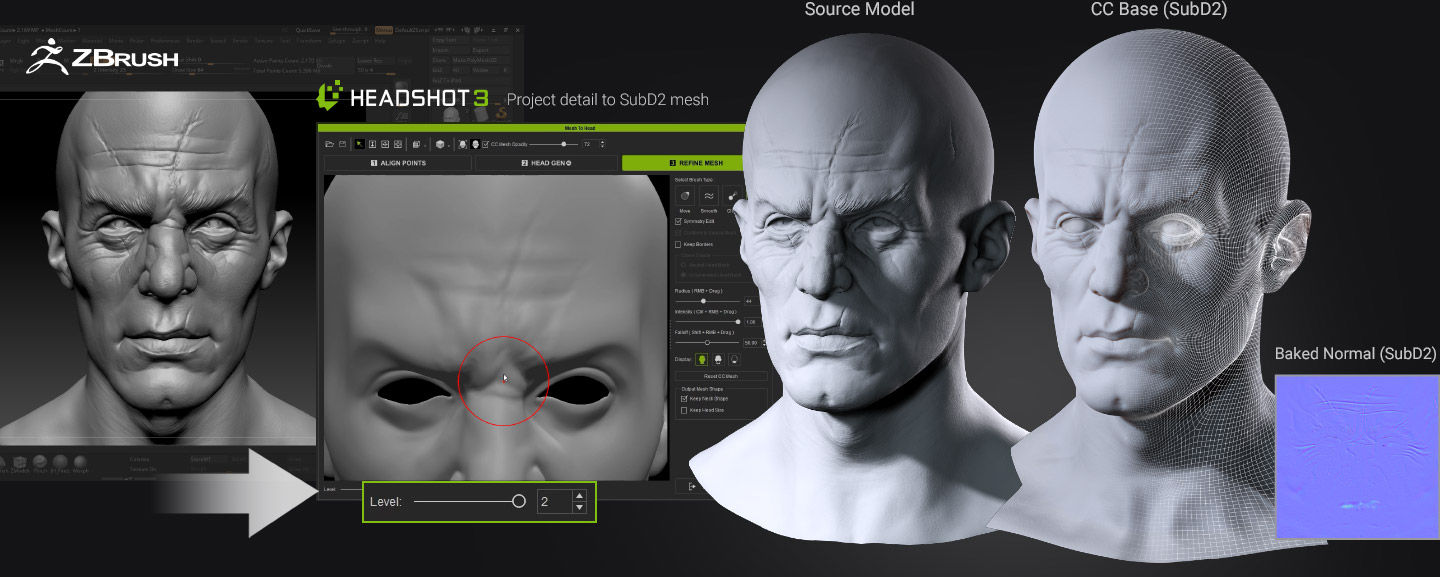
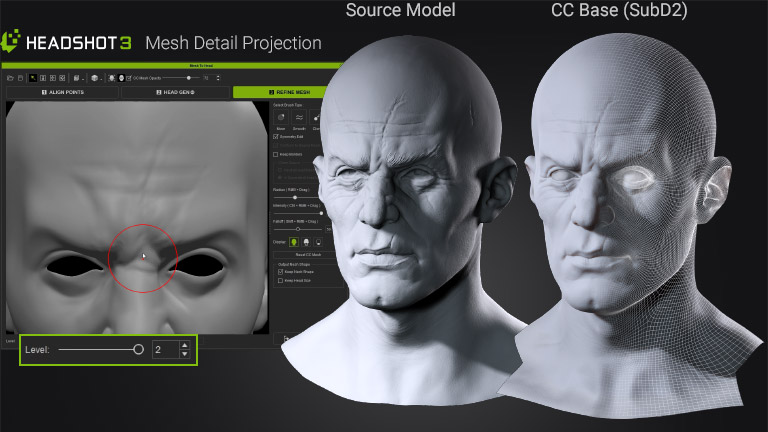
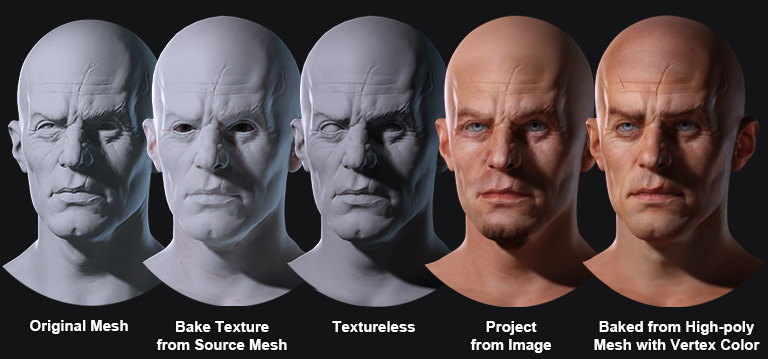
Headshot stands out from other model fitting solutions with versatile texture baking options. It is the only system that supports high-poly normal baking, vertex color to texture conversion, and UV remapping. Other exclusive features include image-based color projection and textureless rendering with stand-in eyes. The outcome is an astonishingly detailed CC3+ head at 4,000 quads, showcasing remarkable resemblance and geared for real-time performance.
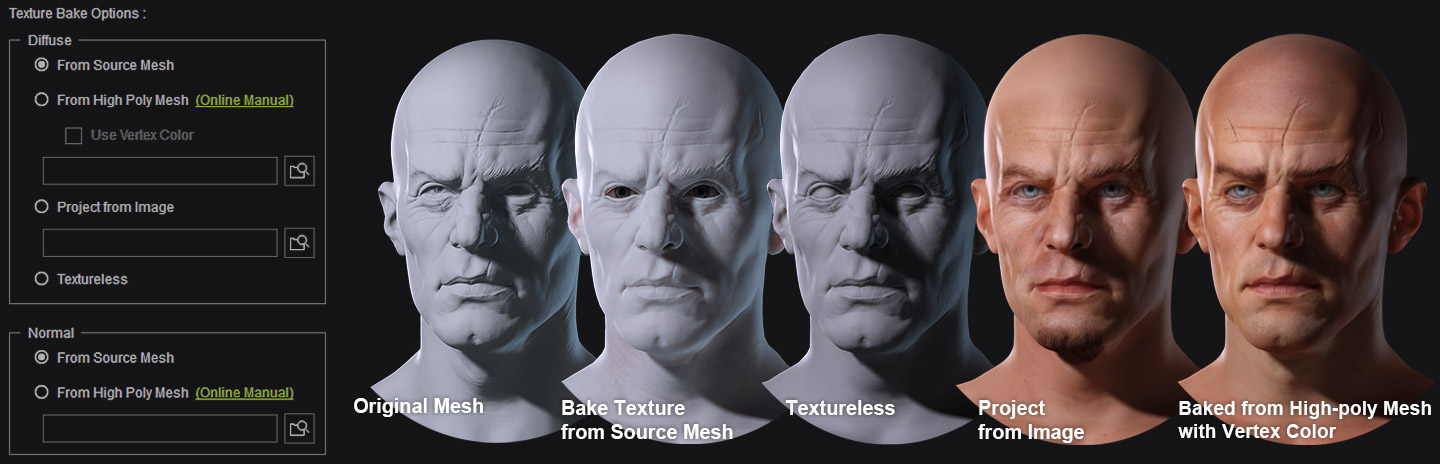
TEXTURE MASKING
- No Mask
- Template Mask
- Custom Mask Painting NEW!
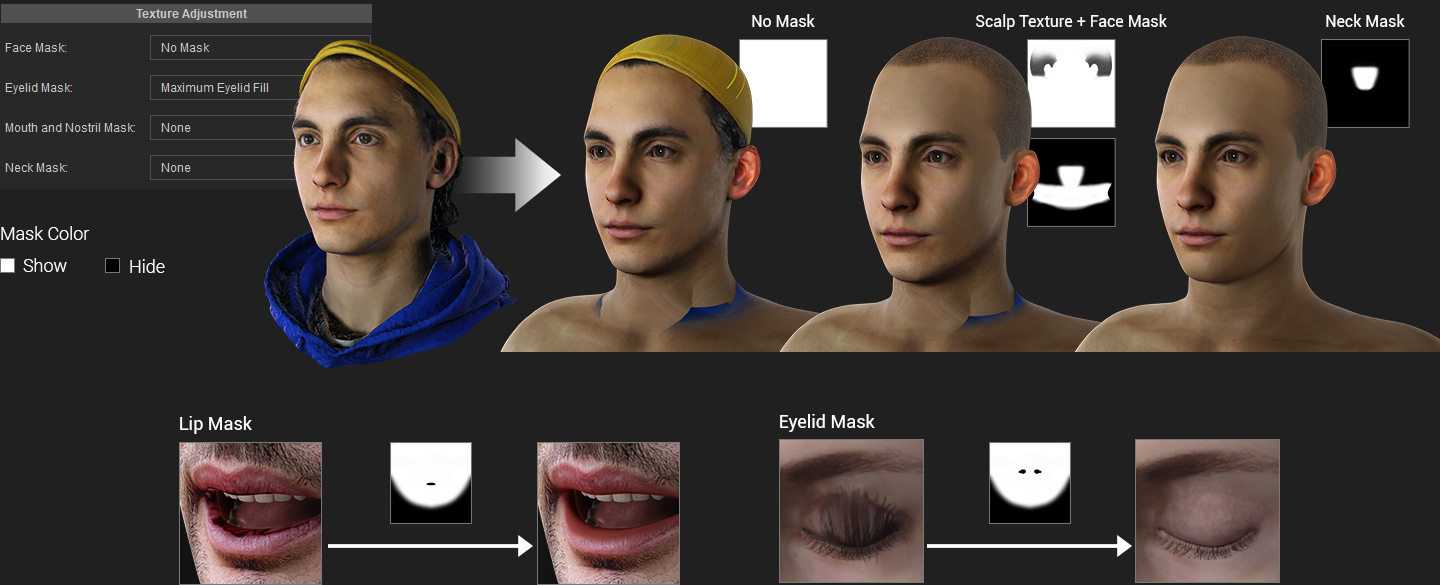
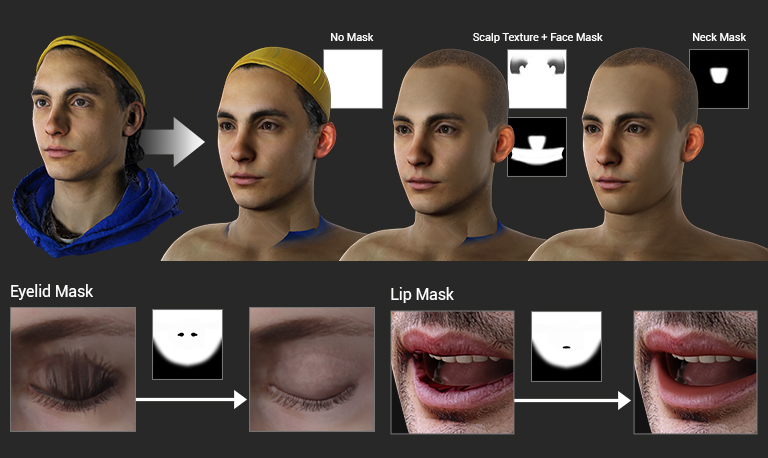
To ensure the integrity of bust models with desirable hair or coverings and without distorted textures, choose the "No Mask" option. Additionally, for the correction of minor texture artifacts that occur when blinking or opening the lips, apply eyelash and lip masks to achieve the right results.
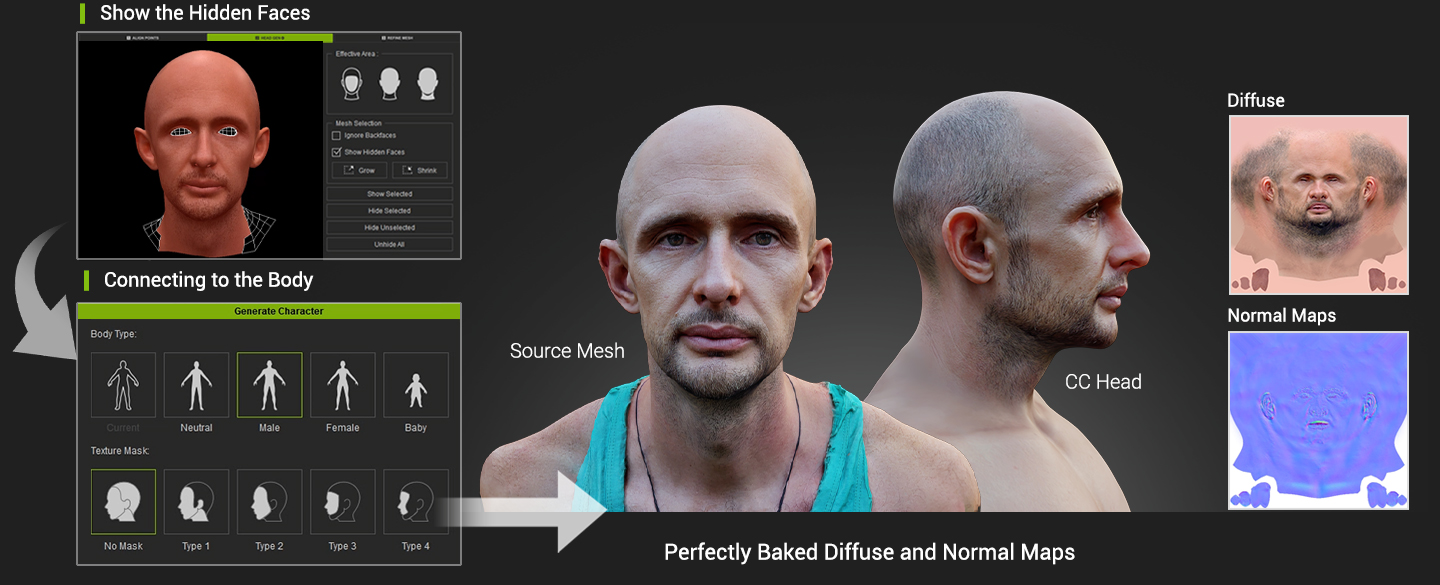
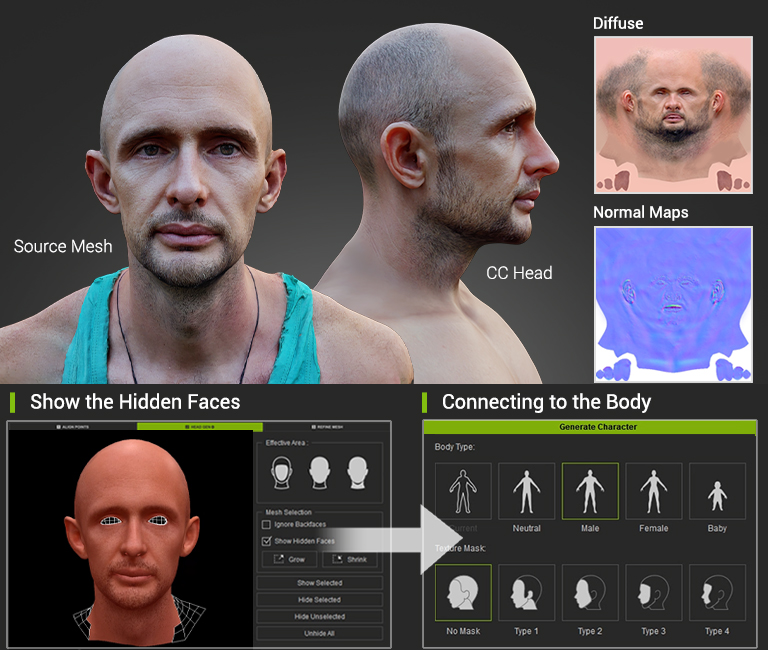
When generating a 3D head from a partial mesh, texture tearing or stretching can occur due to degradation. Even with a flawless source mesh, accurately projecting eyelash and inner lip details can be challenging. Headshot 2 offers a convenient solution by providing predefined texture masks to quickly hide problematic areas, ensuring a seamless and visually appealing result without the need for image editing.
ENHANCE WITH SKIN DETAILS
- SkinGen
- Dynamic Wrinkle
- Eye Options NEW!
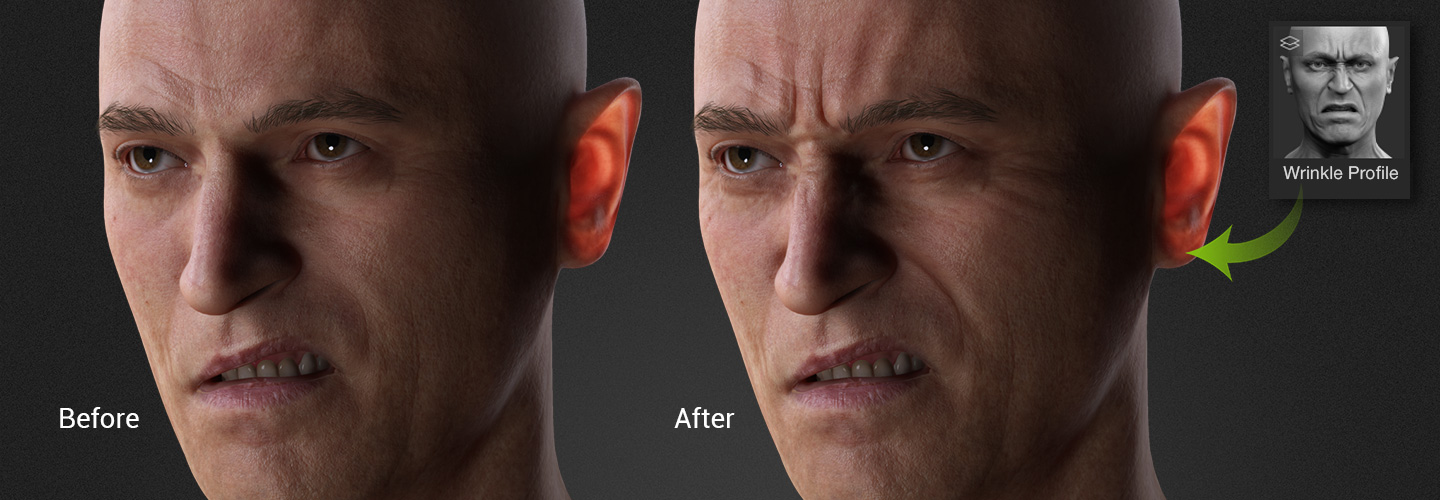
Take realism to new heights by seamlessly incorporating dynamic wrinkles into the generated digital human. Witness the remarkable level of expression details that come to life in real-time when you apply face key, facial puppet, and tracking techniques.
Choose from a library of realistic eye presets, or use the color picker to create custom eye colors and fine-tune the real-time eye shader for complete control.