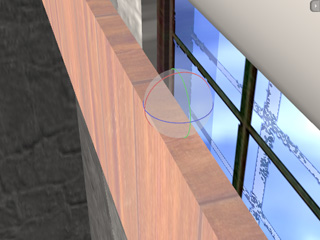
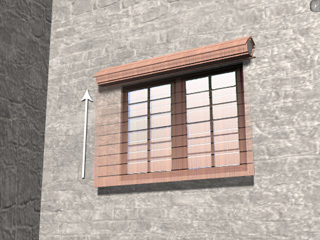
Creating a Series-Connected Chain (New for 5.1)
A constrained rigid body that targets another physics object can also be a target of other rigid bodies as well. In this situation, you are able to
create chain-like rigid body groups and allow each element in the group to animate respectively according to the constraint settings that are applied
to it.
In the following example, a cylinder is applied to create the power of rolling, and the chained pieces of the roller blind will
pulled and roll up around the cylinder.
-
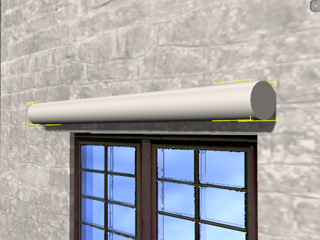
Apply a cylinder and transform it to an appropriate shape.
-
Set it as Kinematic rigid body. It will be controlled to
produce the rolling power of the roller blind.
-
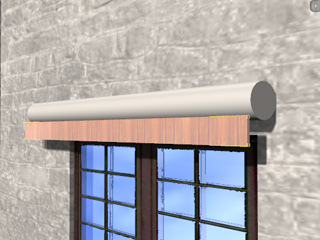
Apply a box and transform it to a long board; move it under the cylinder.
-
Set the board as Dynamic rigid body.
-
Click the Constraint Settings
 button and apply a
Hinge constraint to the object
(Please refer to The
Basic Workflow of Using Constraint section for more information).
button and apply a
Hinge constraint to the object
(Please refer to The
Basic Workflow of Using Constraint section for more information).
-
Switch to the Local Rotate
 tool, turn on the Gizmo
(Shortcut: Ctrl + Q) mode. Make sure the pivot point of the board is set to the back-top of itself.
tool, turn on the Gizmo
(Shortcut: Ctrl + Q) mode. Make sure the pivot point of the board is set to the back-top of itself.
-
In the Constraint Settings (Shortcut: Ctrl + F10) panel, click the Pick Target
 button and pick the cylinder so that the board is constrained to the cylinder.
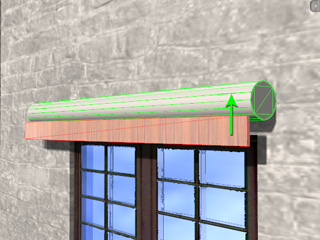
-
Set the Min and Max values of the X Axis in the Constraint Settings panel
in accordance with the angle limit for the rotation of the board.
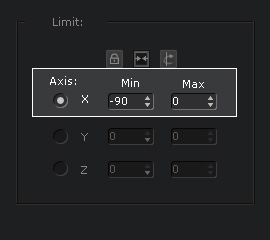
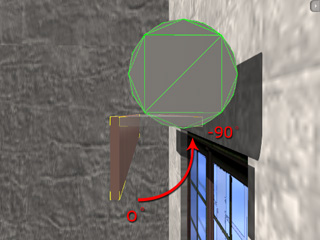
-
Utilize the Multi-Duplicate feature to create several identical boards with identical settings.
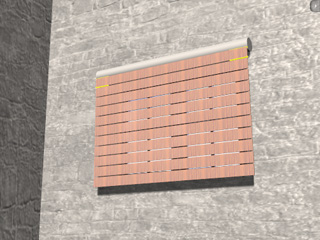
|
|
Each duplicated board is initially constrained with the cylinder as the target.
|
-
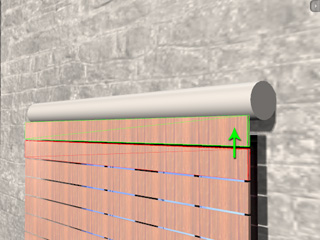
Select the second board and change its target from the cylinder to the board right above it.
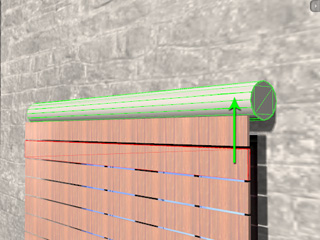
|
|
|
Each duplicated board shouldn't be constrained with the cylinder as the target.
|
Change the target to the board right above it.
|
-
Repeat the last step for each board until its target is the one above it.
-
Set rotation keys or
puppet the cylinder to
produce a rolling force.
-
Play to simulate.