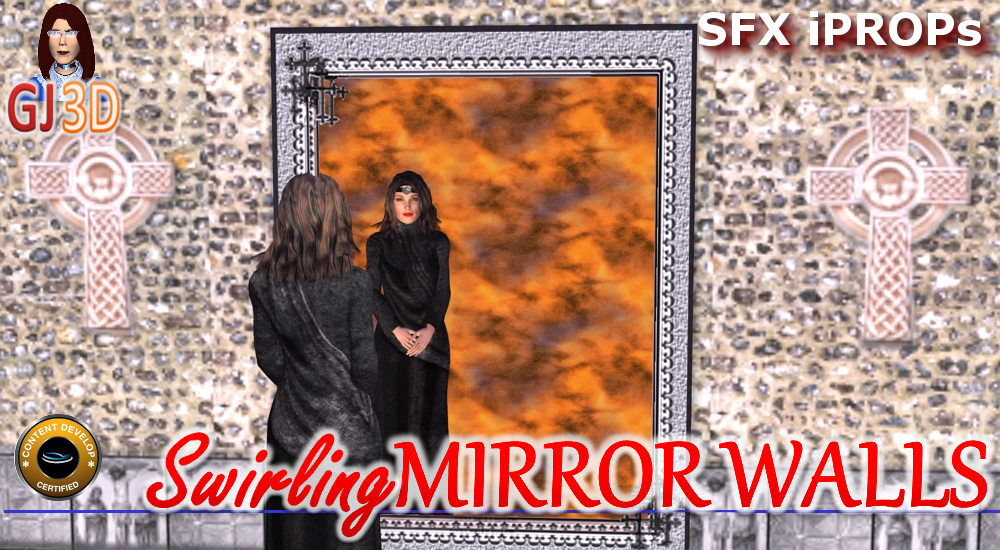
Swirling MIRROR Walls
Artist : GrannyJRequired Product :
*For CC v3.00 or above; iC v5.50 or above.$7.5033% OFF
$5.00
Add to Cart
SAVE extra 15% off all year. JOIN PRIME >
*Content License FAQ Ends on Oct 31, 2026 ( UTC )
- Props (8)
PLEASE NOTE - this pack is for iClone 5 - the mirror planes will not work in iClone 6.
This pack contains 8 different wall sections, each with an SFX mirror. The special effects create a "swirling" mirror effect that does NOT impact the reflection of the character at all (see promotional images - the mirror swirls, but the character's image is still reflected properly).

Just bring the mirror wall of your choice into your scene, click the play button & watch the SFX mirror animation. If your scene is longer than 1800 frames, simply open the time for the SFX mirror wall, click the video tab and extend the video to the end of your scene in the timeline.

You can also save the wall texture in the modify panel to use on additional walls in your scene (just delete the opacity map used for the mirror wall).
PLEASE NOTE - anything placed BEHIND the mirror plane in iClone will also be reflected in the mirror.
Also, kindly take note that the mirrors rely on stock default iClone video footage, normall found in the shared templates directory. The usual path is: C:\Users\Public\Documents\Reallusion\Shared Templates\Video - if you store your iClone content on a drive other than drive C, you will need to create a video folder on drive C using the above mentioned path and copy the video directory contents in the Reallusion "Shared Templates" folder to that directory.
Avatars used in promotional materials are NOT included in this pack.
This pack contains 8 different wall sections, each with an SFX mirror. The special effects create a "swirling" mirror effect that does NOT impact the reflection of the character at all (see promotional images - the mirror swirls, but the character's image is still reflected properly).
Just bring the mirror wall of your choice into your scene, click the play button & watch the SFX mirror animation. If your scene is longer than 1800 frames, simply open the time for the SFX mirror wall, click the video tab and extend the video to the end of your scene in the timeline.
You can also save the wall texture in the modify panel to use on additional walls in your scene (just delete the opacity map used for the mirror wall).
PLEASE NOTE - anything placed BEHIND the mirror plane in iClone will also be reflected in the mirror.
Also, kindly take note that the mirrors rely on stock default iClone video footage, normall found in the shared templates directory. The usual path is: C:\Users\Public\Documents\Reallusion\Shared Templates\Video - if you store your iClone content on a drive other than drive C, you will need to create a video folder on drive C using the above mentioned path and copy the video directory contents in the Reallusion "Shared Templates" folder to that directory.
Avatars used in promotional materials are NOT included in this pack.