Spooky Goodies & Talking Skull
Artist : GrannyJRequired Product :
*For CC v3.00 or above; iC v5.50 or above.$2.9930% OFF
$2.09
Add to Cart
SAVE extra 15% off all year. JOIN PRIME >
*Content License FAQ Ends on Oct 31, 2026 ( UTC )
- Legacy Standard Human (1)
- Props (6)
- Project (1)
This is a great pack for adding some spooky, scary bits to your scene!
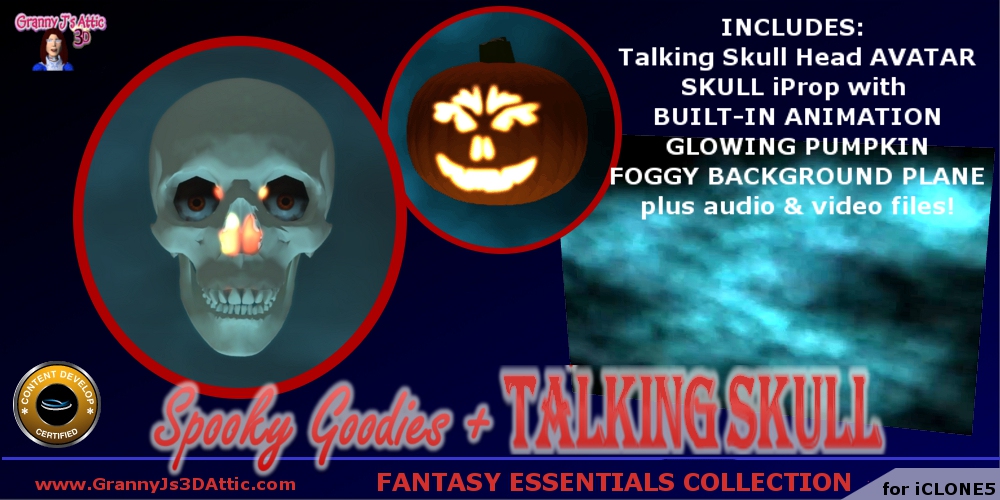
Included in this pack are 3 iProps - a skull head with built-in animation, a glowing Jack-O-Lantern plus a drop-in blue foggy background.
Additionally, there is a Talking Skull Head iAvatar (seen in the promo video), plus an iProject file using the Talking Skull iAvatar and the blue foggy drop in background.
Plus, the video file for the blue foggy back & the 2 voice track audio files for the Talking Skull iAvatar are included.
PLEASE TAKE NOTE:
BEFORE you utilize any of the contents of this pack, you must RENAME the file extensions for the 2 audio files & the one video file.
Navigate to the Halloween Props Directory in your iClone Template folders (the typical path is C:\Users\Public\Documents\Reallusion\Template\iClone 5 Template\iClone Template\Props\Halloween ). Once there, you will see 2 subdirectories - AUDIO & VIDEO.
In the AUDIO directory rename the file extension of the audio files from a ".iProp" to a ".mp3".
In the VIDEO directory, rename the file extension of the video file from a ".iProp" to a ".wmv".
(You do this by selecting the file, right click, select rename, and highlight ONLY the letters in the extension "iProp" & typing the appropriate new extension & then hit "enter"). You will receive a system warnign about changing the file type - disregard the notice and change the file extension.
Once you have completed this step, you may now use the character & props supplied with this pack. The video will load onto the background plane and the audio will work in the included project.
Included in this pack are 3 iProps - a skull head with built-in animation, a glowing Jack-O-Lantern plus a drop-in blue foggy background.
Additionally, there is a Talking Skull Head iAvatar (seen in the promo video), plus an iProject file using the Talking Skull iAvatar and the blue foggy drop in background.
Plus, the video file for the blue foggy back & the 2 voice track audio files for the Talking Skull iAvatar are included.
PLEASE TAKE NOTE:
BEFORE you utilize any of the contents of this pack, you must RENAME the file extensions for the 2 audio files & the one video file.
Navigate to the Halloween Props Directory in your iClone Template folders (the typical path is C:\Users\Public\Documents\Reallusion\Template\iClone 5 Template\iClone Template\Props\Halloween ). Once there, you will see 2 subdirectories - AUDIO & VIDEO.
In the AUDIO directory rename the file extension of the audio files from a ".iProp" to a ".mp3".
In the VIDEO directory, rename the file extension of the video file from a ".iProp" to a ".wmv".
(You do this by selecting the file, right click, select rename, and highlight ONLY the letters in the extension "iProp" & typing the appropriate new extension & then hit "enter"). You will receive a system warnign about changing the file type - disregard the notice and change the file extension.
Once you have completed this step, you may now use the character & props supplied with this pack. The video will load onto the background plane and the audio will work in the included project.