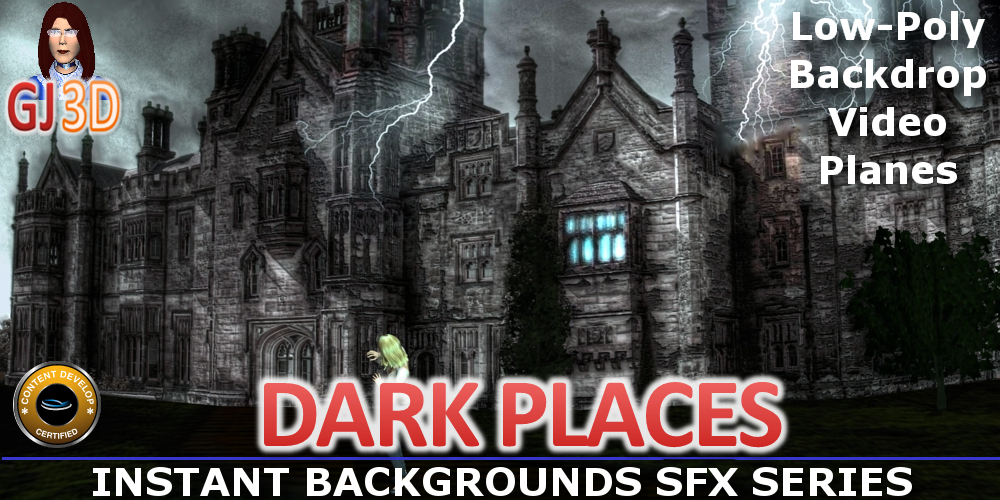
Background DARK PLACES
Artist : GrannyJRequired Product :
*For CC v3.00 or above; iC v5.50 or above.$5.9930% OFF
$4.19
Add to Cart
SAVE extra 15% off all year. JOIN PRIME >
*Content License FAQ Ends on Oct 31, 2026 ( UTC )
- Props (13)
This pack includes 7 different sinister backgrounds:
An alley at night, an attic, a deserted park at night, a haunted castle, a haunted cemetary, a deserted skywalk at night and a solarium (see promo images & promo video at bottom of this page). Also included are the 6 videos required for the background planes to function properly.
These background iprops are put together with video planes - for example, the castle is a flat, 2D plane (although it looks 3D).
When brought into your scene, these dark, sinister backgrounds create not only a backdrop, but also a floor (terrain surface) for you to place your own avatars & props on.
When you need to quickly build a scene, these backgrounds will allow you to create a complete film stage for your scene in less than a minute. Simply double click on the film stage background you desire in your scene, then add your avatars & any additional props you desire.
** IMPORTANT INSTRUCTIONS ** IMPORTANT INSTRUCTIONS **
You must RENAME the video file extensions BEFORE trying to use any of the content in this pack. To do this, simply navigate to the VIDEO folder in the default props directory in iClone for this pack (the typical path is C:\Users\Public\Documents\Reallusion\Template\iClone 5 Template\iClone Template\Props\BackgroundDarkPlaces )
In this directory you will find 6 files, all with the ".iProp" file extension. The ".iProp" file extension MUST be changed to ".wmv" for the video planes to function properly. Simply select the file, right click, select "rename" then highlight ONLY the letters spelling "iProp", then type "wmv" & hit enter. You will receive a system warning about changing the file extension, disregard this by clicking "yes" & voila, the file is now a video file.
PLEASE NOTE: If you utilize a drive other than drive C for your default iClone directories, rename the file extensions there, as described, then create a folder on Drive C that mimics the default iClone settings (typically C:\Users\Public\Documents\Reallusion\Template\iClone 5 Template\iClone Template\Props\BackgroundDarkPlaces) & copy & place all 6 renamed video files there.
An alley at night, an attic, a deserted park at night, a haunted castle, a haunted cemetary, a deserted skywalk at night and a solarium (see promo images & promo video at bottom of this page). Also included are the 6 videos required for the background planes to function properly.
These background iprops are put together with video planes - for example, the castle is a flat, 2D plane (although it looks 3D).
When brought into your scene, these dark, sinister backgrounds create not only a backdrop, but also a floor (terrain surface) for you to place your own avatars & props on.
When you need to quickly build a scene, these backgrounds will allow you to create a complete film stage for your scene in less than a minute. Simply double click on the film stage background you desire in your scene, then add your avatars & any additional props you desire.
** IMPORTANT INSTRUCTIONS ** IMPORTANT INSTRUCTIONS **
You must RENAME the video file extensions BEFORE trying to use any of the content in this pack. To do this, simply navigate to the VIDEO folder in the default props directory in iClone for this pack (the typical path is C:\Users\Public\Documents\Reallusion\Template\iClone 5 Template\iClone Template\Props\BackgroundDarkPlaces )
In this directory you will find 6 files, all with the ".iProp" file extension. The ".iProp" file extension MUST be changed to ".wmv" for the video planes to function properly. Simply select the file, right click, select "rename" then highlight ONLY the letters spelling "iProp", then type "wmv" & hit enter. You will receive a system warning about changing the file extension, disregard this by clicking "yes" & voila, the file is now a video file.
PLEASE NOTE: If you utilize a drive other than drive C for your default iClone directories, rename the file extensions there, as described, then create a folder on Drive C that mimics the default iClone settings (typically C:\Users\Public\Documents\Reallusion\Template\iClone 5 Template\iClone Template\Props\BackgroundDarkPlaces) & copy & place all 6 renamed video files there.