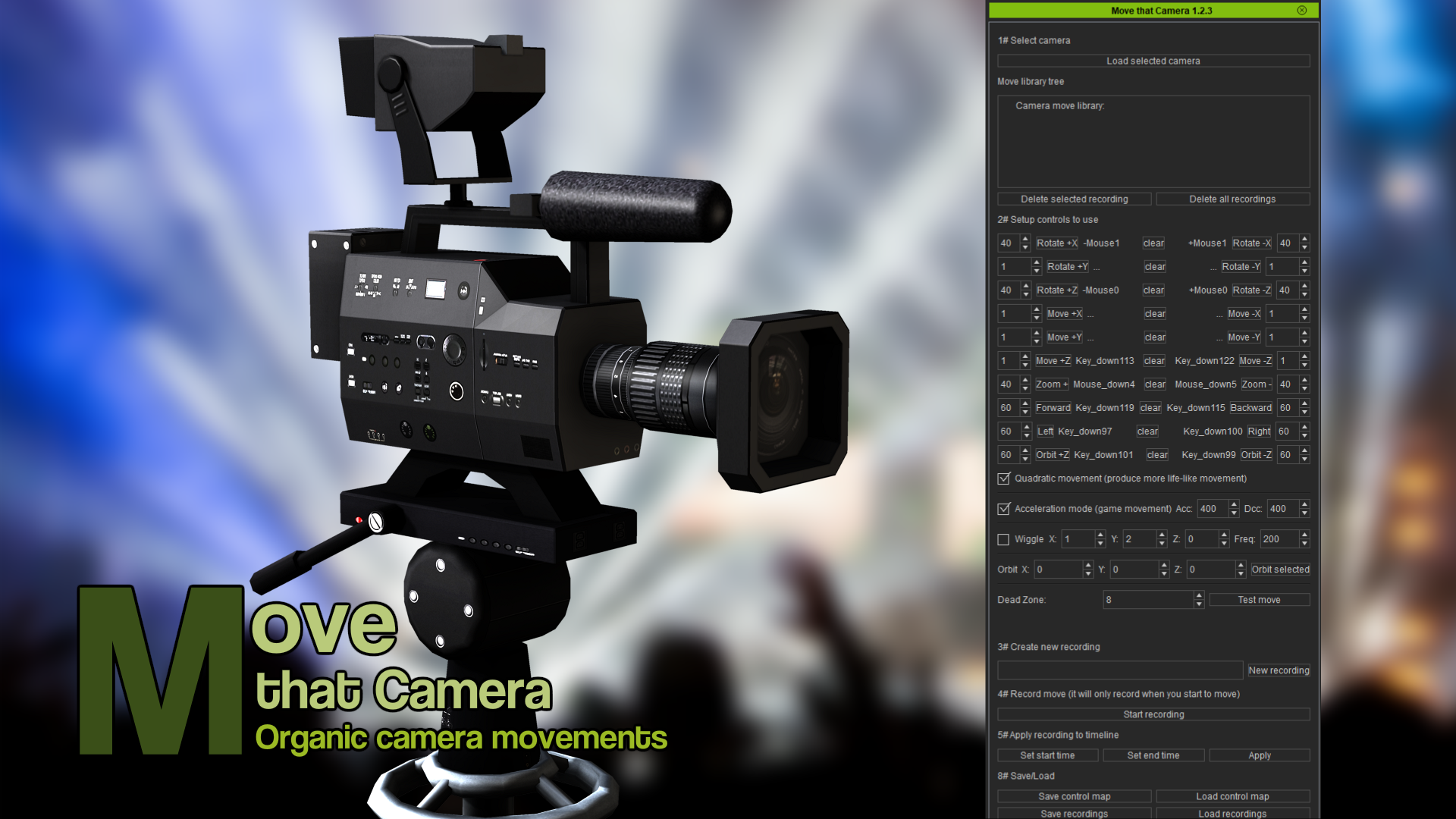
Move that Camera
Artist : The-any-KeyRequired Product :
*For iC v7.50.$27.0050% OFF
$13.50
Add to Cart
SAVE extra 15% off all year. JOIN PRIME >
*Content License FAQ- General (1)
This pack contain:
- Move that Camera Trial for iClone 7, organic camera movements
*Please note this plugin only supports iClone 7.5 ~ iClone 7.9 and is not compatible with iClone 8 or later versions.
What this is:
A plugin to record camera movements with your mouse, keyboard and joystick. You can also record prop movements.
How to install the plugin:
1# After downloading the zip (you need an zip program to unzip it).
Right click the zip and click "extract".
Install the plugin in your "OpenPlugin" in iClone.
ex: "C:\Program Files\Reallusion\iClone 7\Bin64\OpenPlugin"
(If the "OpenPlugin" is missing just create a new folder with the name "OpenPlugin")
(If you update, just replace all old files)
2# Start iClone in admin mode as the plugin may need to install 3th party python modules.
(Only need to start in admin mode the first time after you installed the plugin)
3# Start the plugin via Plugins>The-any-Key>Move that Camera
If the plugin don't show up in the menu try this: https://youtu.be/madVsFscvyw
You also need to un-check: iClone>Edit>Preference>Reduce Idle Load.
How to use it:
Create a camera and click the load camera button. Click test move. Wait some seconds. Click a mouse button. And you can now move the camera around with the mouse. To record enter a name in section 3 and click new recording. Then click start recording. Wait some seconds and click a mouse button. To stop record press Esc. Move the timeline marker to a start position and click set start time. Then mark the end and click set end timer. Then click apply to paste the movement into the timeline.
- Move that Camera Trial for iClone 7, organic camera movements
*Please note this plugin only supports iClone 7.5 ~ iClone 7.9 and is not compatible with iClone 8 or later versions.
What this is:
A plugin to record camera movements with your mouse, keyboard and joystick. You can also record prop movements.
How to install the plugin:
1# After downloading the zip (you need an zip program to unzip it).
Right click the zip and click "extract".
Install the plugin in your "OpenPlugin" in iClone.
ex: "C:\Program Files\Reallusion\iClone 7\Bin64\OpenPlugin"
(If the "OpenPlugin" is missing just create a new folder with the name "OpenPlugin")
(If you update, just replace all old files)
2# Start iClone in admin mode as the plugin may need to install 3th party python modules.
(Only need to start in admin mode the first time after you installed the plugin)
3# Start the plugin via Plugins>The-any-Key>Move that Camera
If the plugin don't show up in the menu try this: https://youtu.be/madVsFscvyw
You also need to un-check: iClone>Edit>Preference>Reduce Idle Load.
How to use it:
Create a camera and click the load camera button. Click test move. Wait some seconds. Click a mouse button. And you can now move the camera around with the mouse. To record enter a name in section 3 and click new recording. Then click start recording. Wait some seconds and click a mouse button. To stop record press Esc. Move the timeline marker to a start position and click set start time. Then mark the end and click set end timer. Then click apply to paste the movement into the timeline.