| |
|
| |
 |
 |
| 2. |
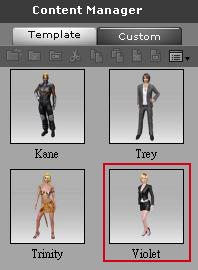
Click on the template tab to load a character into the viewer. |
|
| |
 |
|
| 3. |
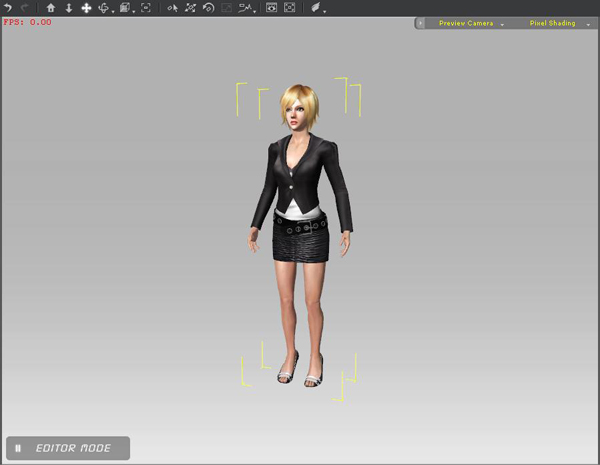
In the viewer, double click on the character to select it. |
|
| |
 |
|
| 4. |
Click the Persona Tab. |
|
| |
 |
|
| 5. |
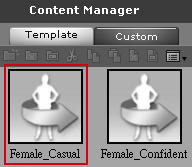
Click on the template to load a Persona into the character. |
|
| |
 |
|
|
| 6. |
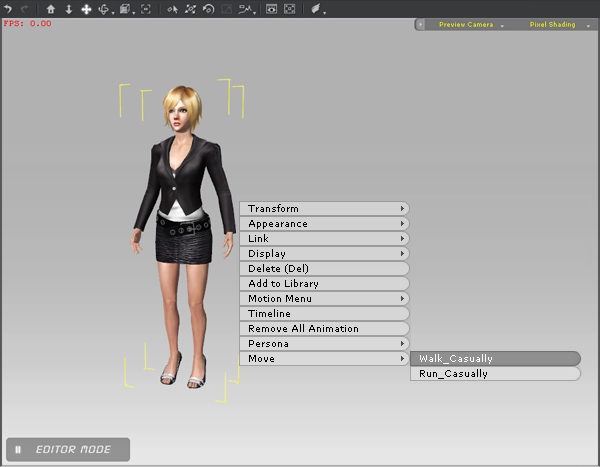
Right click on the character and the move command will appear. |
|
| |
 |
|
| 7. |
Select Walk_Casually and click on the floor to move the character. |
|
|