Selection Mode & Tools
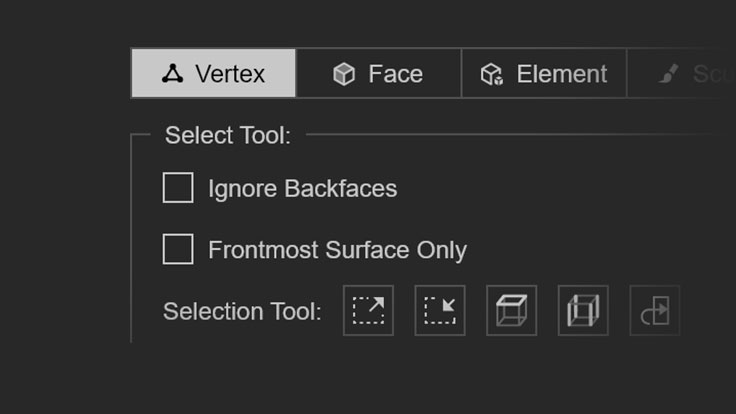
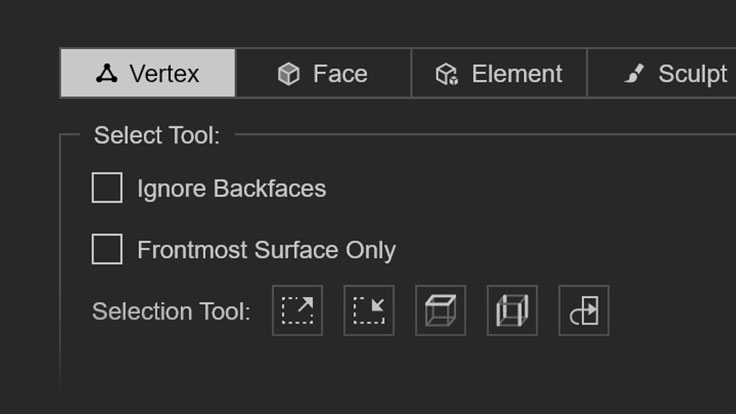
Three selection modes — Vertex, Face, and Element, with Edge Loop and Ring support for quickly selecting cuffs, collars, and circular structures.
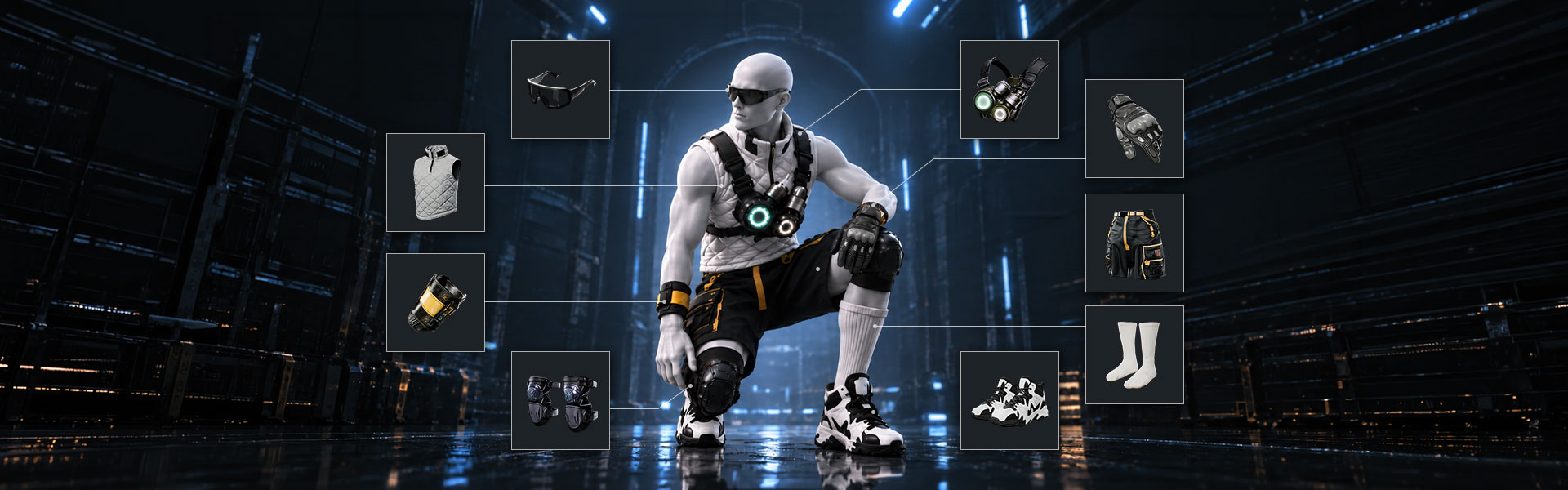
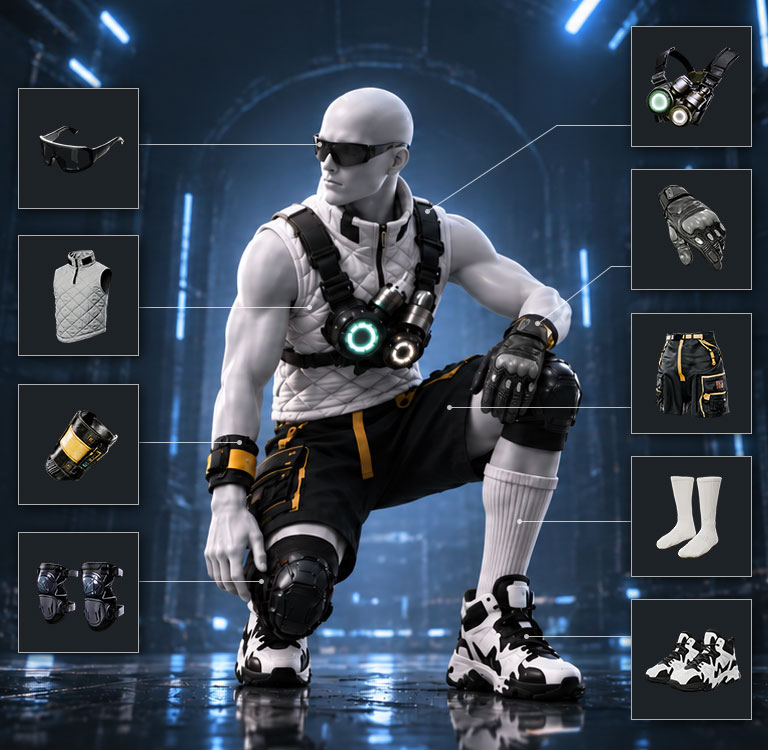
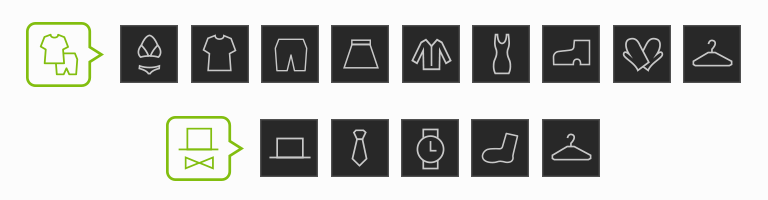
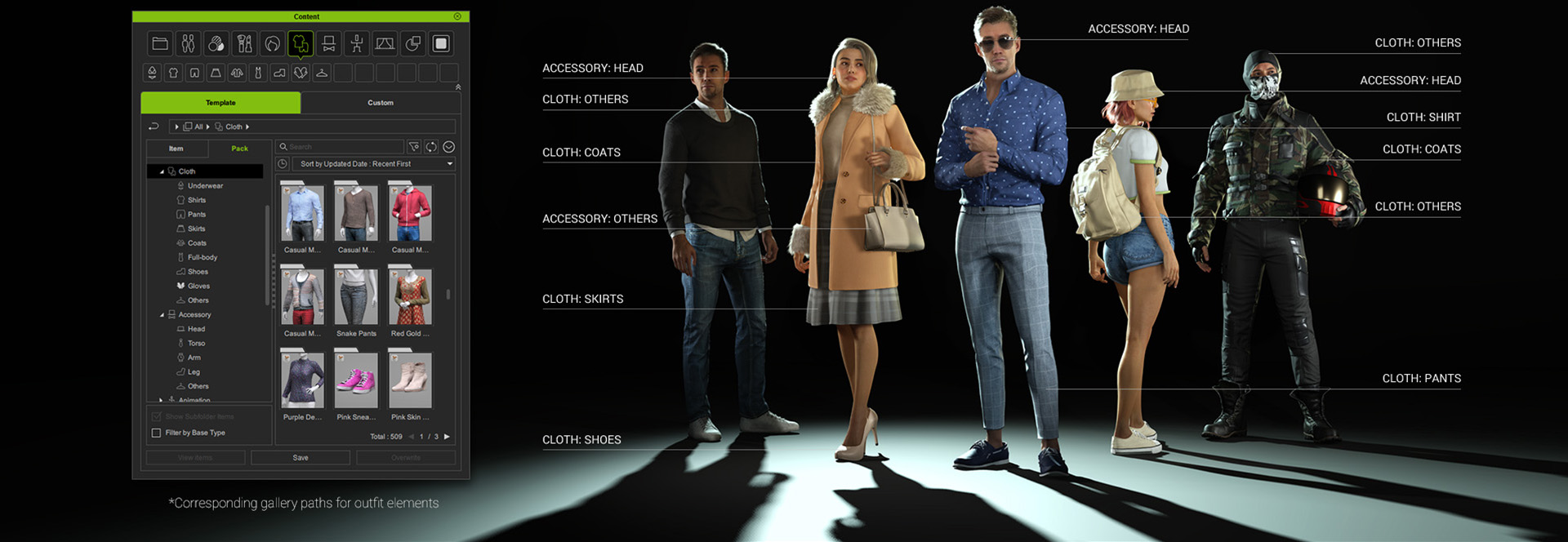
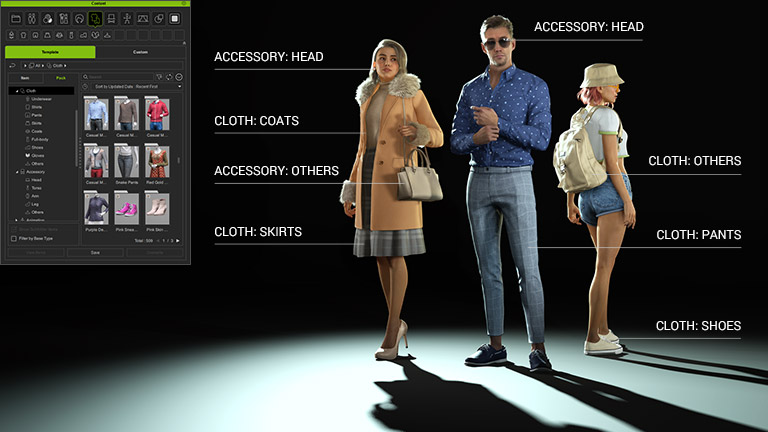
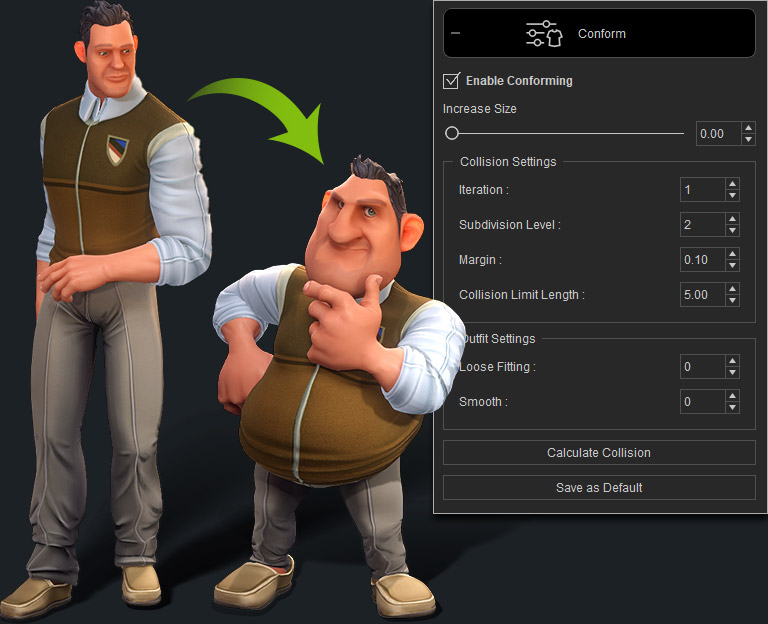
Explore a diverse array of wearable content, sourced from an extensive library or uniquely crafted. Conveniently organized into distinct categories such as tops, pants, and accessories, you can mix and match outfits with a simple drag-and-drop interface to create the perfect ensemble.
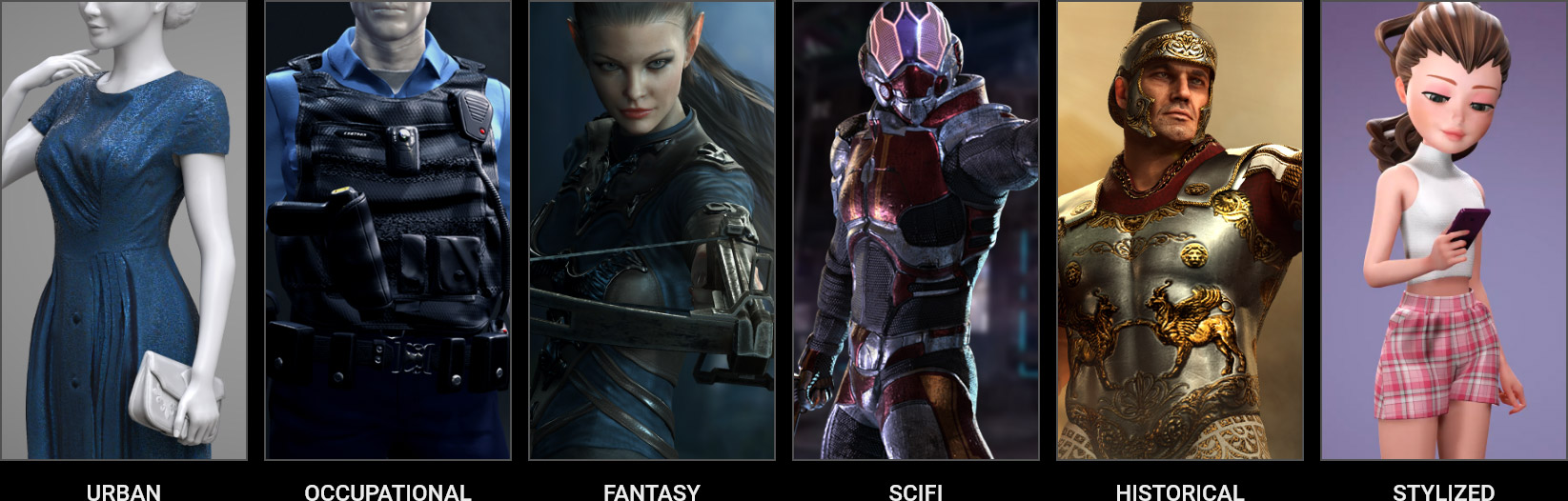
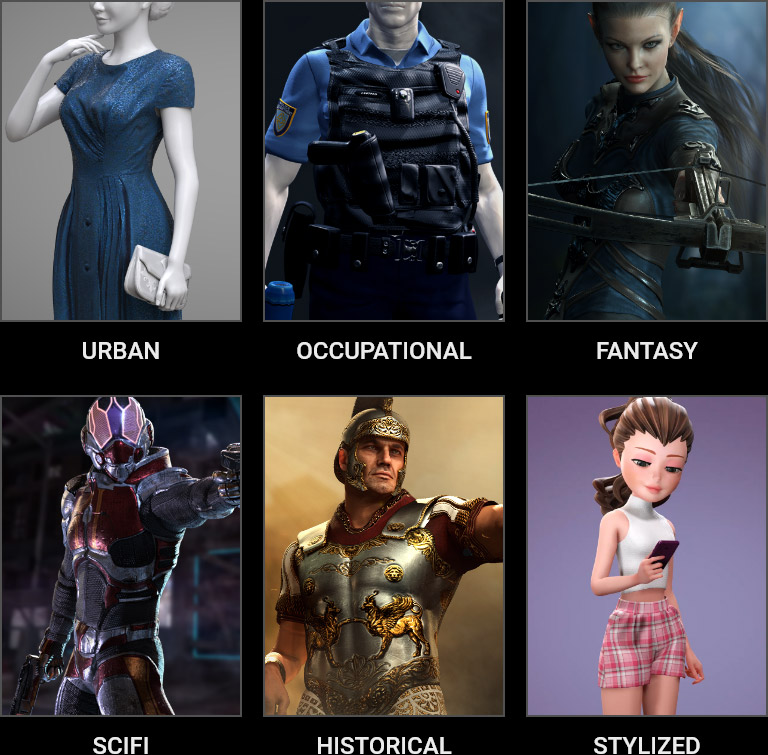
Explore endless style options to bring characters to life and enhance storytelling. Dress them in various styles like urban chic, industrial looks, futuristic attire, fantasy costumes, historical outfits, and innovative designs. Each choice adds depth, uniqueness, and personality to the characters, enriching their roles in the narrative.
The Outfit system introduces layer-based management, letting you freely drag to adjust layer order. Assign Tuck-in to push undergarments beneath outer layers, keeping the outermost clothing looking its best at all times. With a full range of clothing categories to assign, swapping outfits is faster and more intuitive than ever. Manual
Adjust the shrink intensity and Tuck-in Blend Range to achieve a more natural and seamless fit between outer garments and the inner pieces. Manual
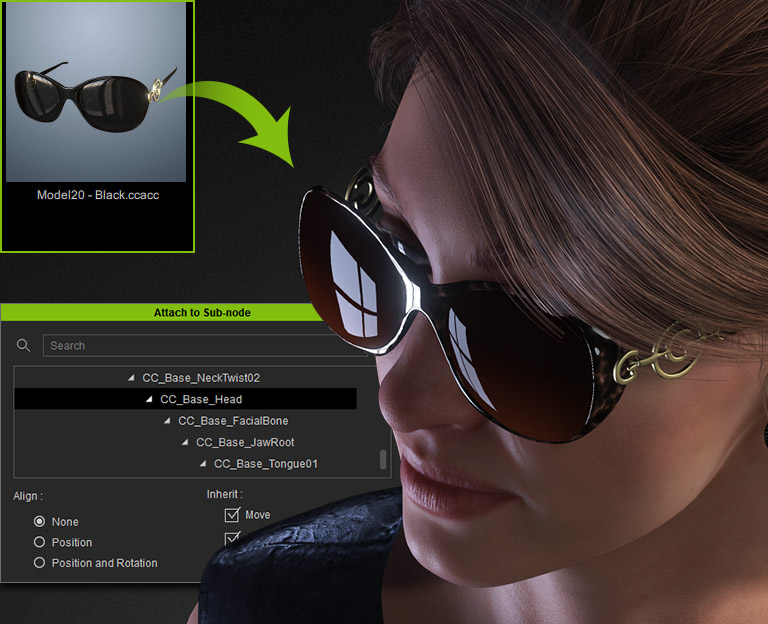
Accessories are fully integrated into the layering system. Place them on top of any garment layer and the clothing beneath will naturally conform and compress around them for a realistic fit.
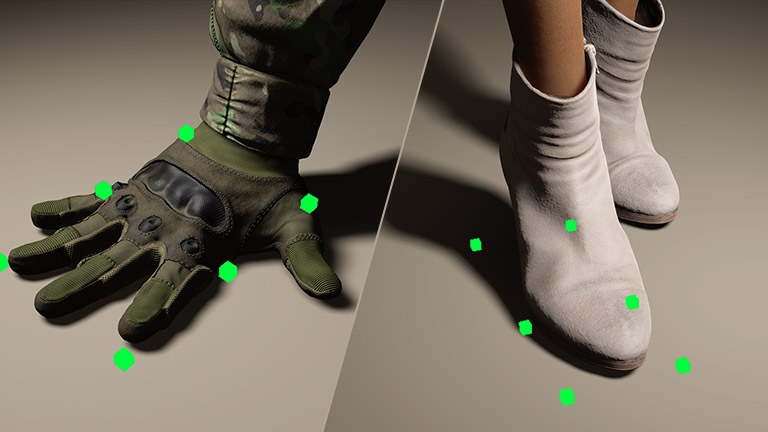
When a garment conforms to a character, rigid accessories like buttons may shift out of position due to relative distance changes. Rigid Detail Conform lets you define whether each rigid element follows the garment or the character’s body, keeping everything perfectly in place.
*Note: Please ensure that you have enabled Floor Contact for contact results.
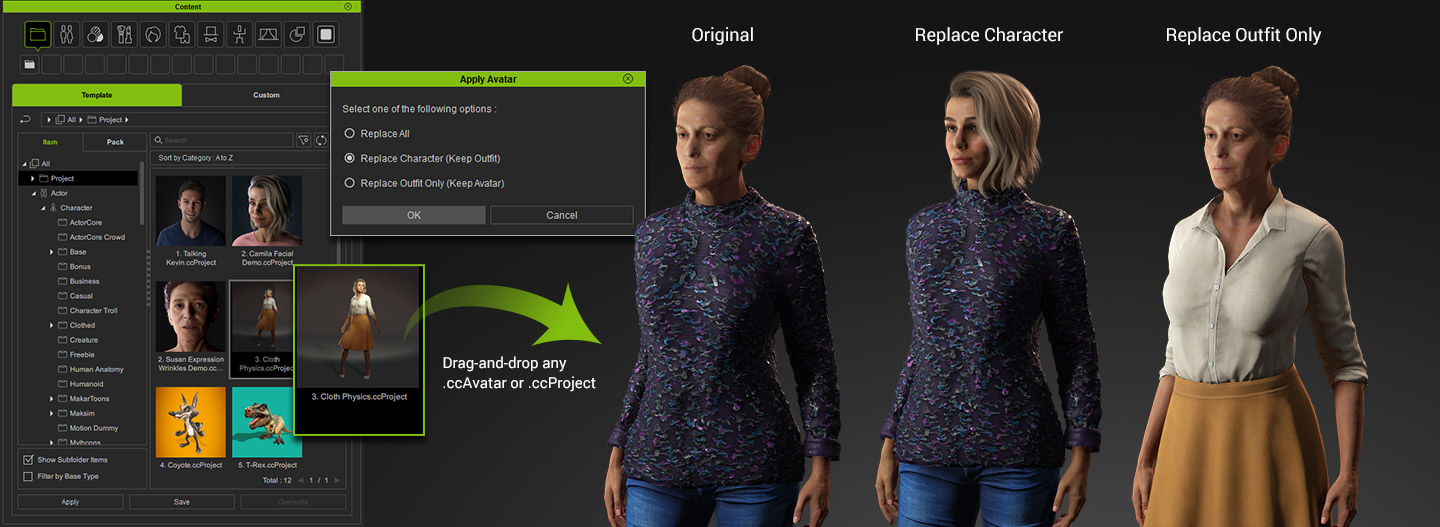
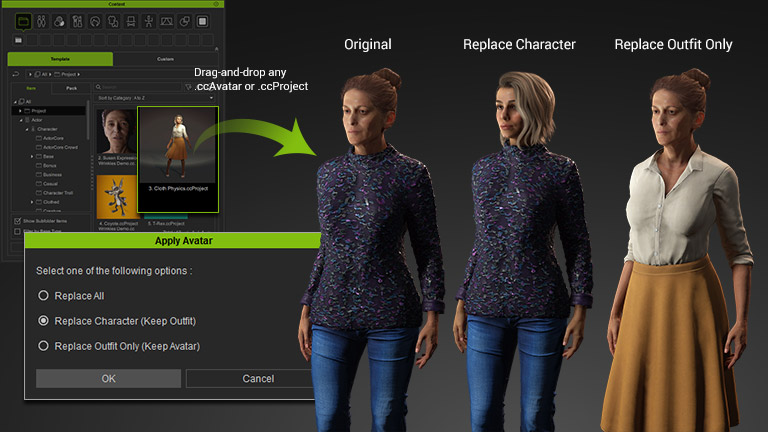
Effortlessly transition between complete characters, outfit styles, or avatars with a straightforward drag-and-drop of .ccProject and .ccAvatar files into the viewport. This intuitive gesture not only streamlines the process of transferring styles among distinct characters but also allows you to swiftly swap models, facilitating prompt style alterations and refinements.
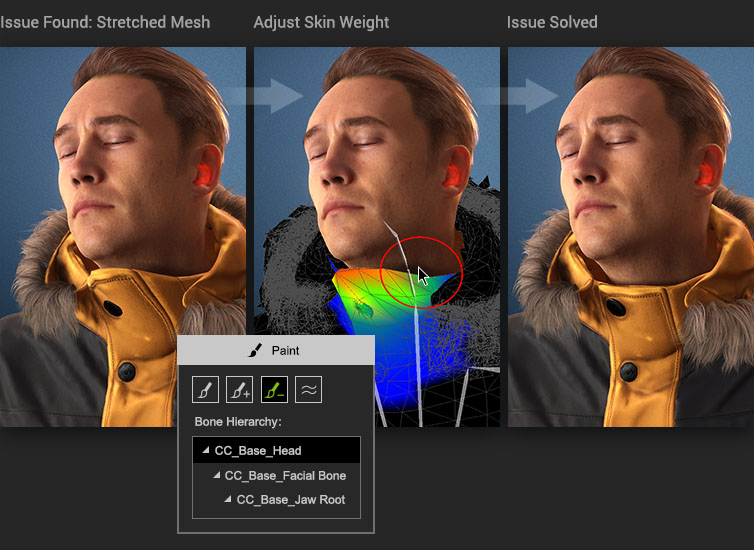
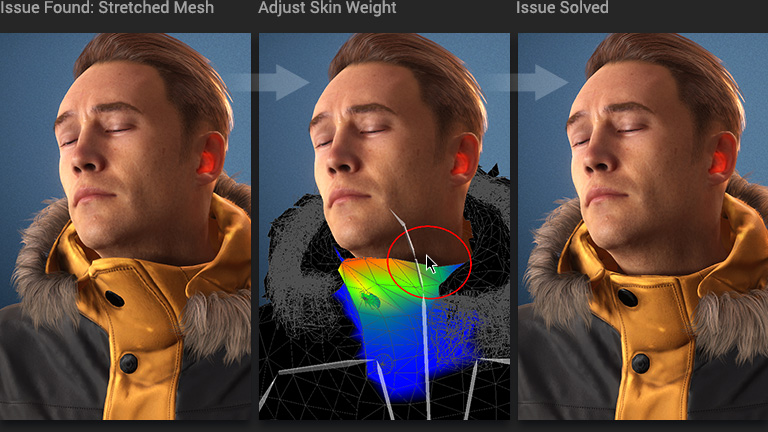
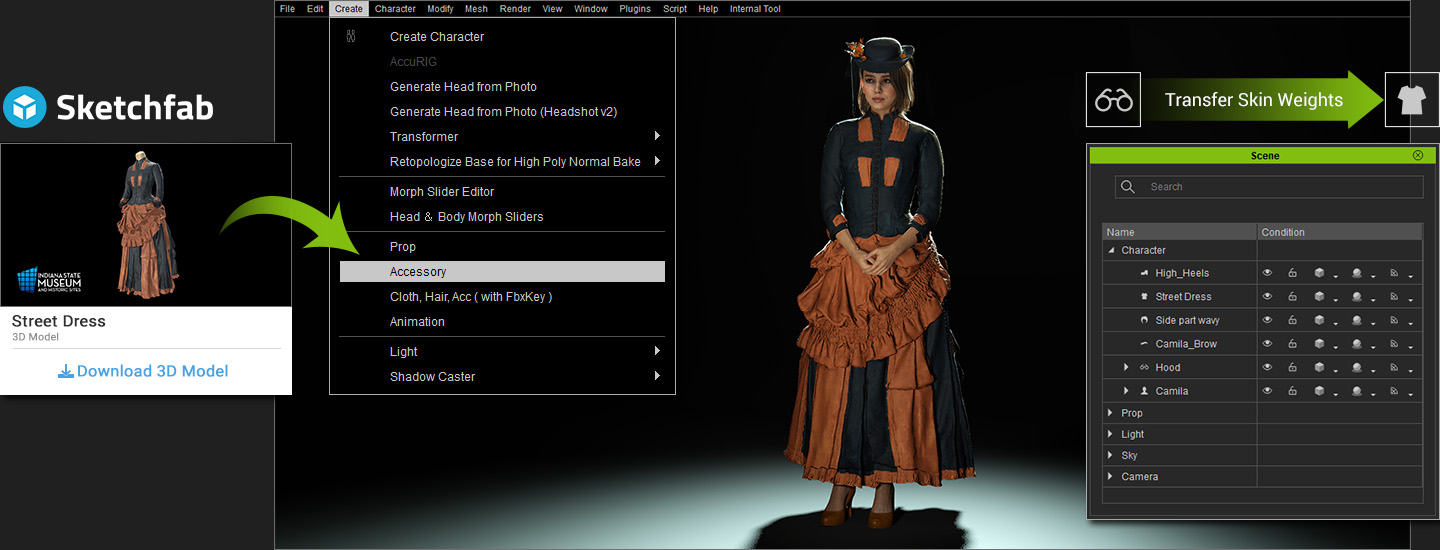
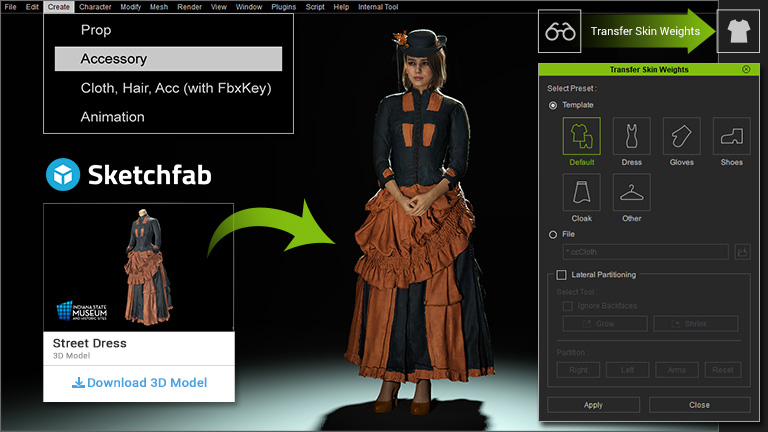
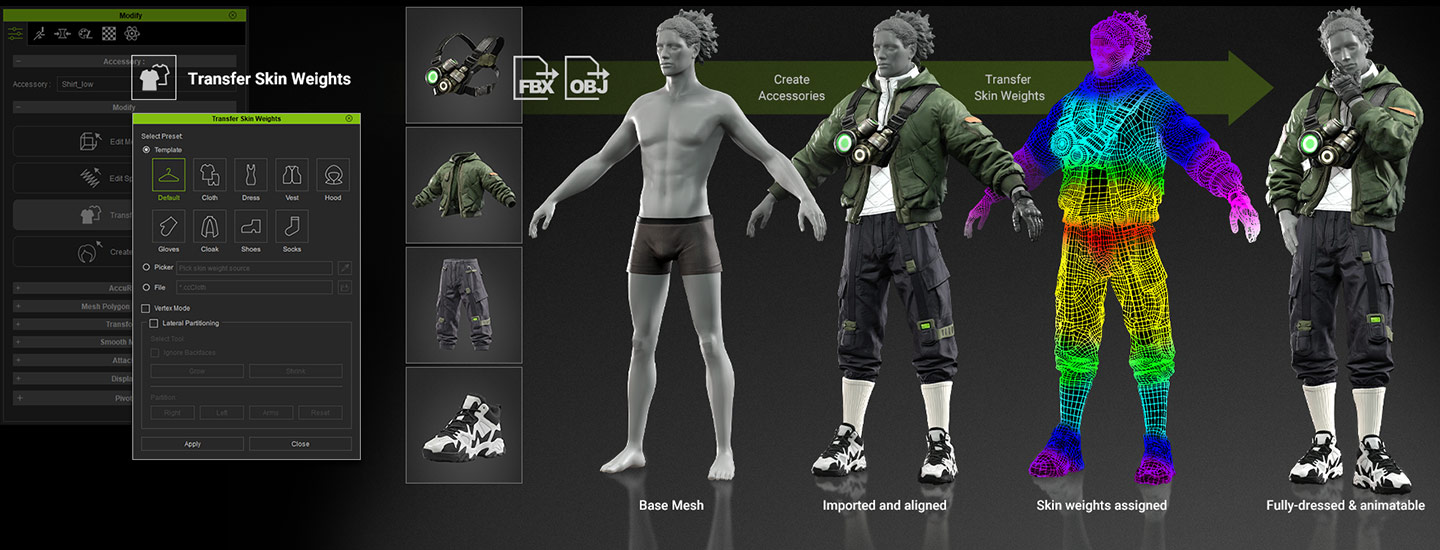
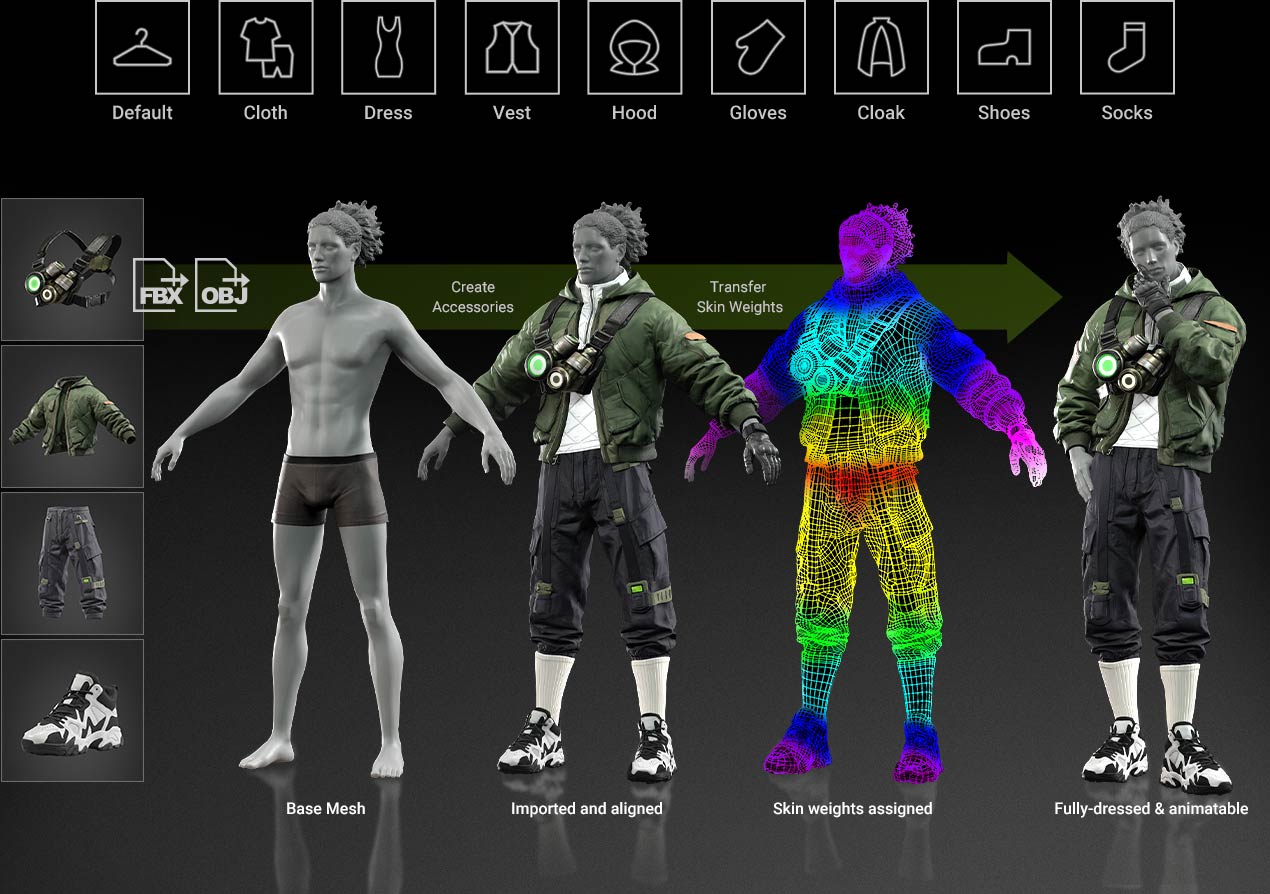
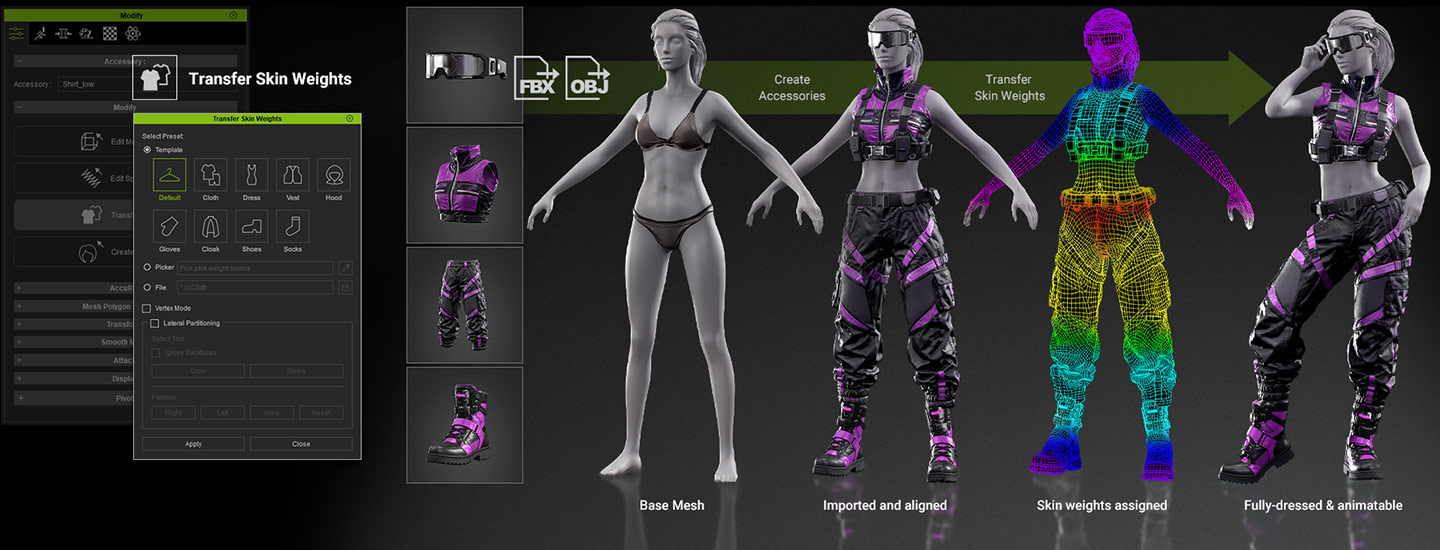
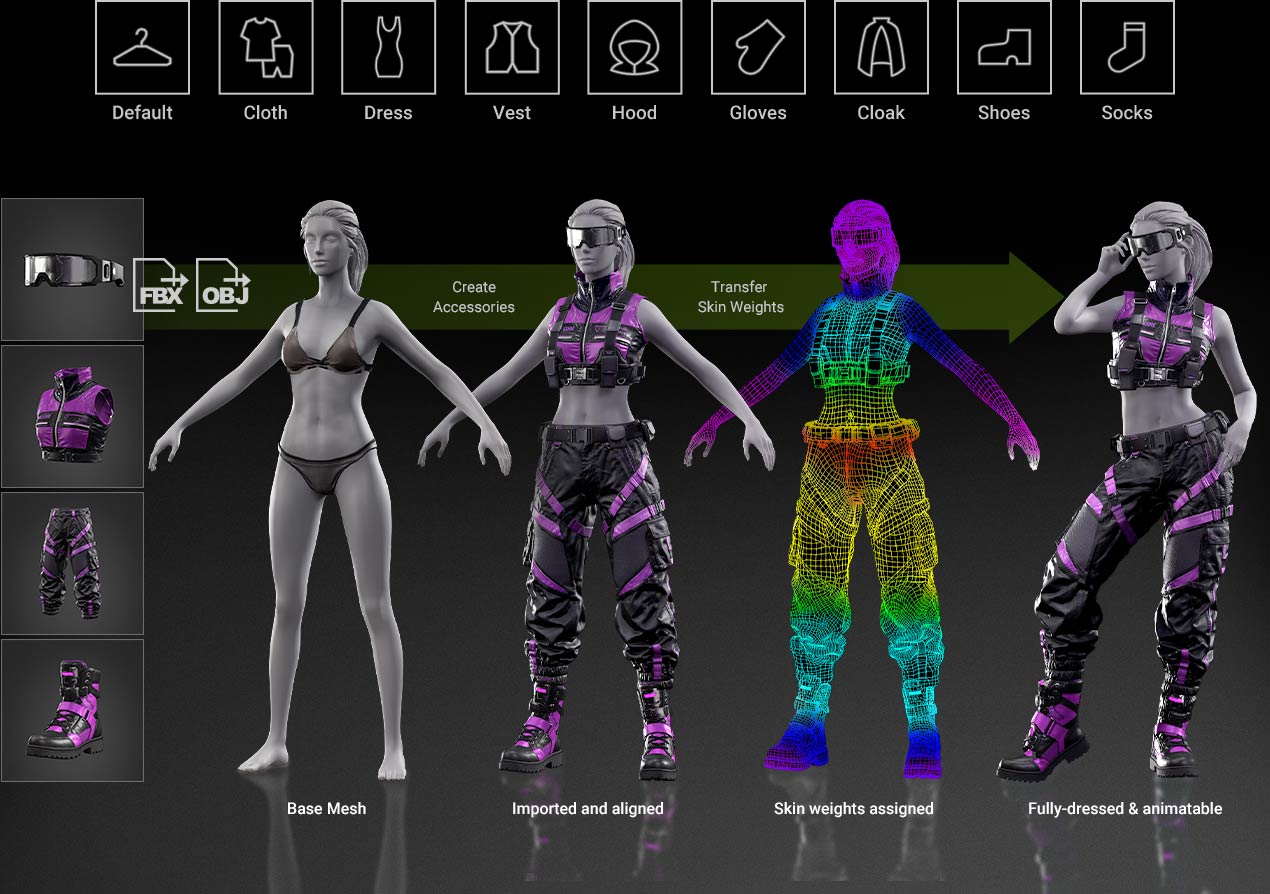
Any clothing or accessory imported into CC can have skin weights transferred automatically. Choose from a range of preset categories and convert any garment into a fully dressed and animatable asset in one click. Manual
Selection Mode & Tools
Three selection modes — Vertex, Face, and Element, with Edge Loop and Ring support for quickly selecting cuffs, collars, and circular structures.
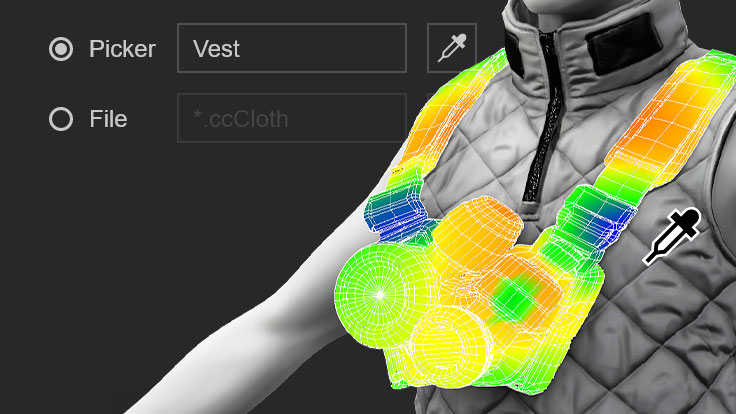
Picker Mode
Copy skin weights from any inner or outer layer garment and transfer theme directly onto another piece with a signle click.
Copy & Paste
Easily copy weight values from one object and paste them onto another for consistent results across multiple assets.
Show & Hide
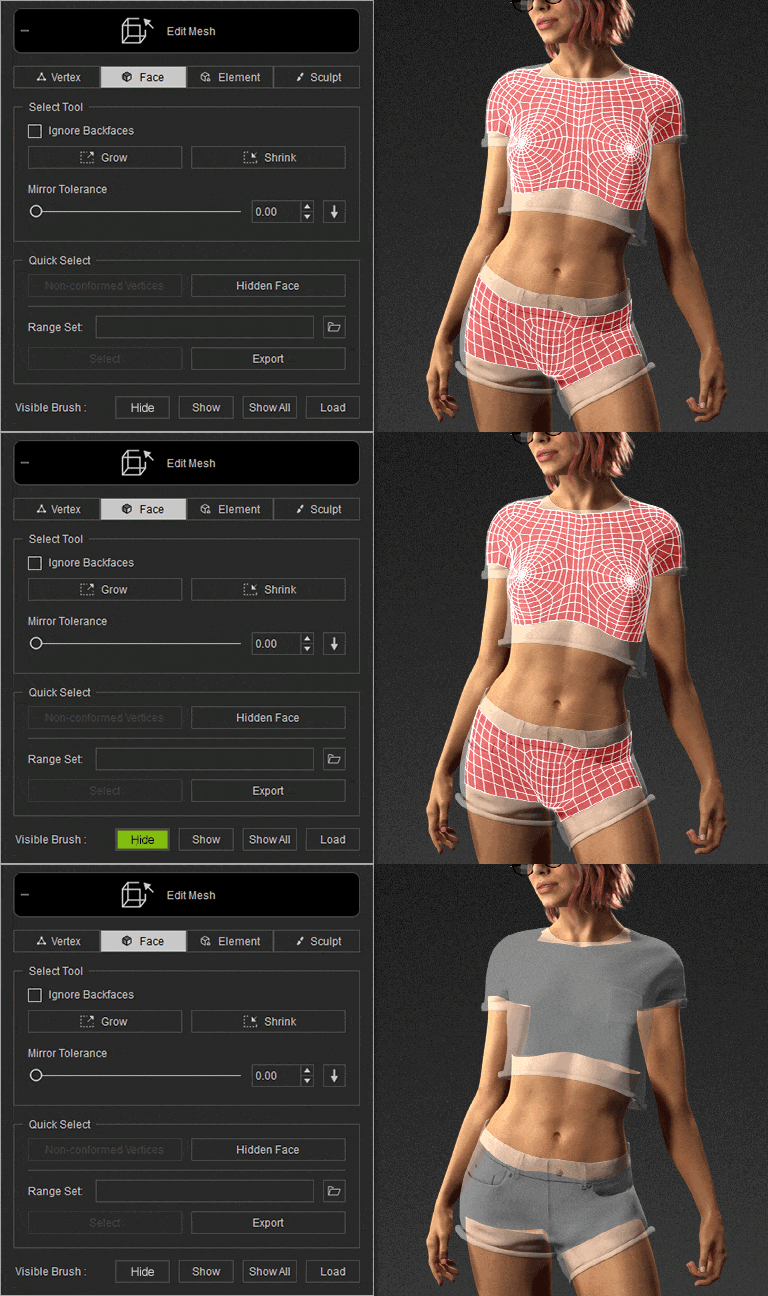
Hide any garment or accessory to reduce visual interference and focus on the area you are editing.
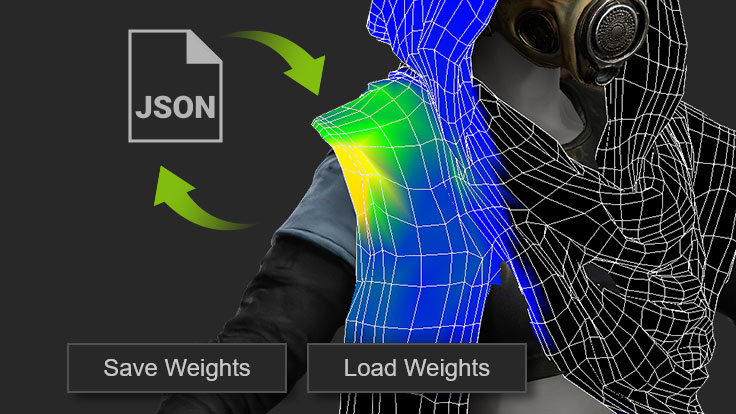
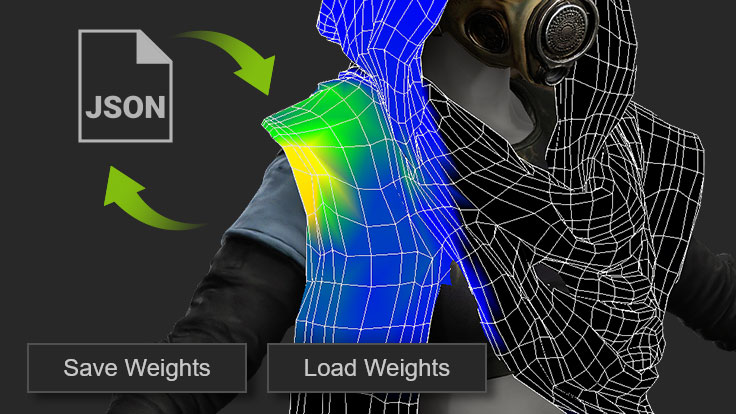
Save & Load
Save skin weight versions at any stage for easy review and rollback.
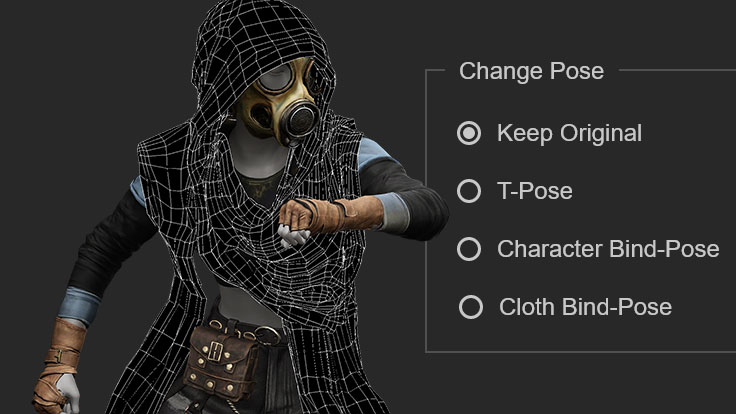
Pose Change
Switch poses during editing to verify that skin weights perform correctly across all body positions and motions.
Free Layer Switch, Auto Push In/Out ets and achieve automatic skin weighting by aligning the character's pose with the imported cloth model. Opt for skin weight transfer through cloth templates or personally import skin meshes. Tailor each mesh component with precision or enhance surfaces using brush tools for a refined outcome.
The enhanced mesh editor streamlines the entire editing experience, making it easier than ever to convert AI-generated meshes into wearable assets. Improvements cover selection methods, mesh editing, and surface visibility controls. Manual
Select two points or faces to define a direction, and the selection extends along the connected edge path for fast loop-area selection and batch editing.
Select two points to define a range, with the selection covering all continuous faces between them, accelerating mesh adjustments on cuffs, necklines, and circular structures.
Expand the current selection based on surface angle thresholds, making it easy to isolate inner faces generated by AI mesh for quick deletion or editing.
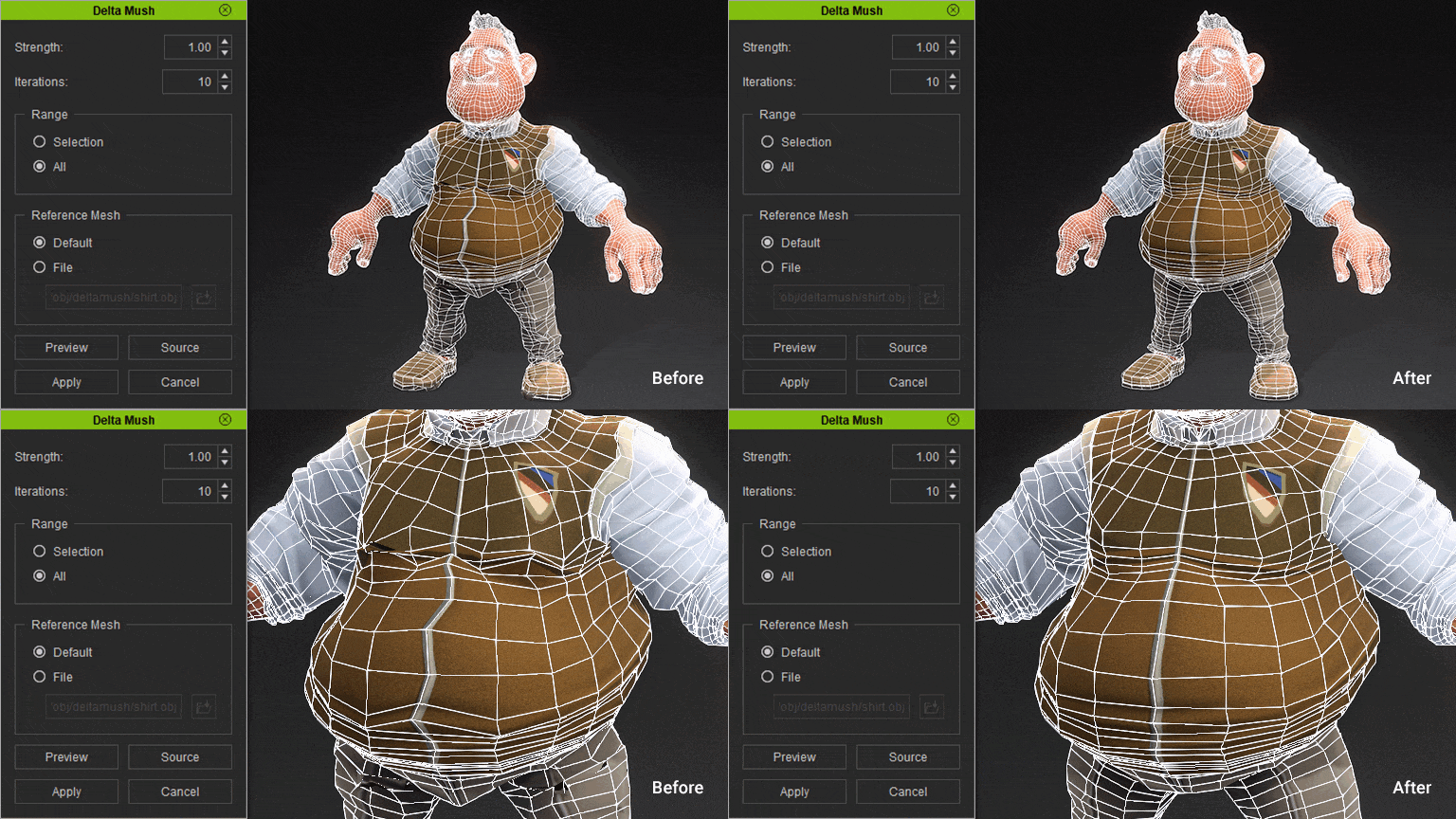
Correct distorted meshes with one click. Restored meshes preserve their initial form while conforming to the body shape. Selective delta mush can address problematic areas without disturbing the surrounding geometry.
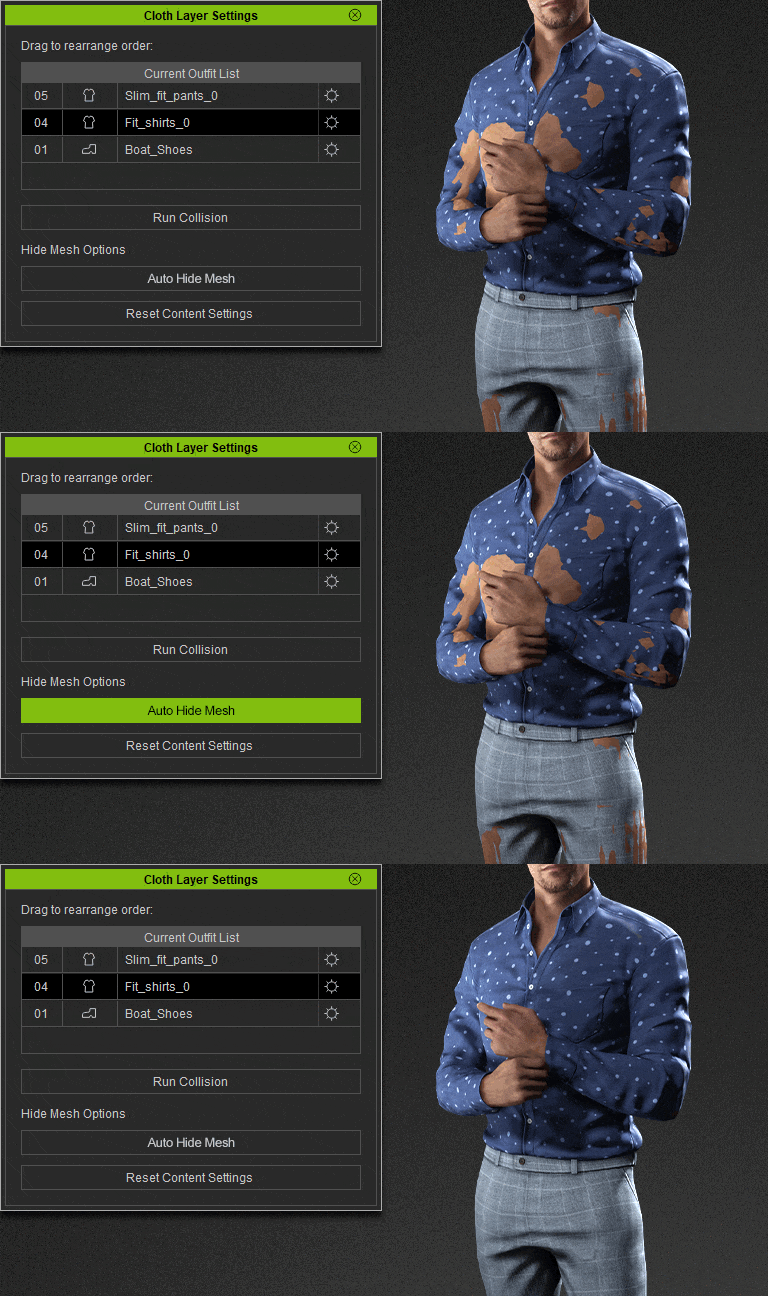
Avoid unwanted mesh intersections in animated characters by using the 'Hide Mesh' feature. This tool conceals underlying meshes beneath the clothing, preventing poke-throughs to ensure flawless animations. It offers two convenient methods for hiding meshes based on your needs. Tutorial
Effortlessly incorporate static OBJ or FBX models as cloth assets and achieve automatic skin weighting by aligning the character's pose with the imported cloth model. Opt for skin weight transfer through cloth templates or personally import skin meshes. Tailor each mesh component with precision or enhance surfaces using brush tools for a refined outcome.
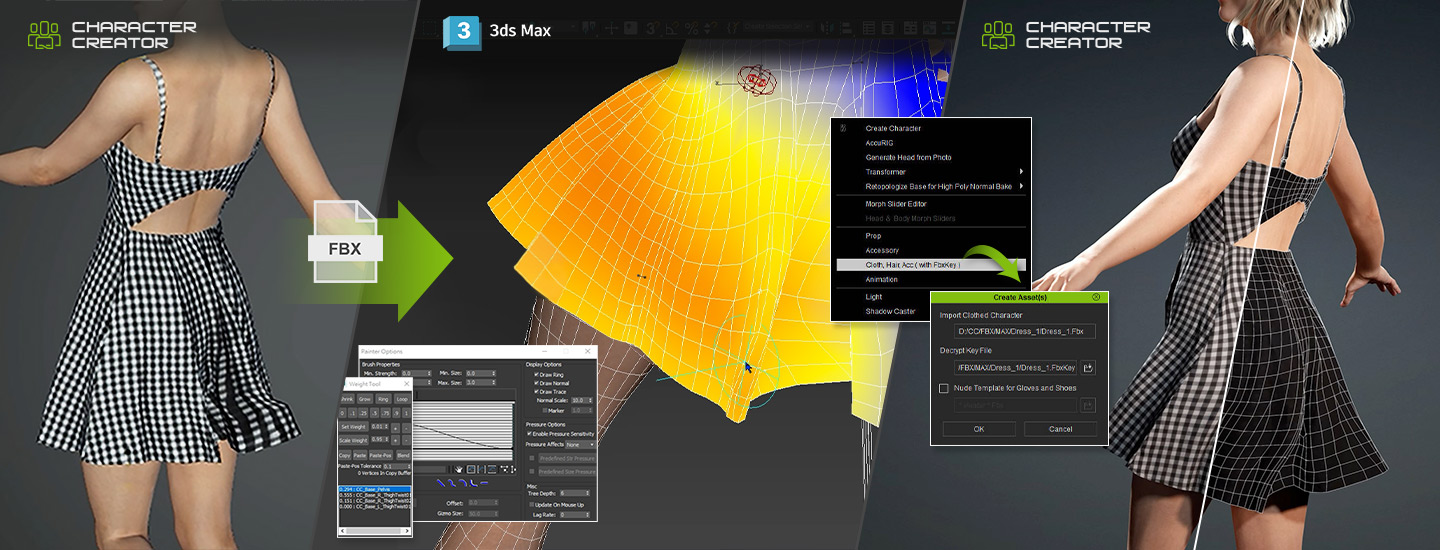
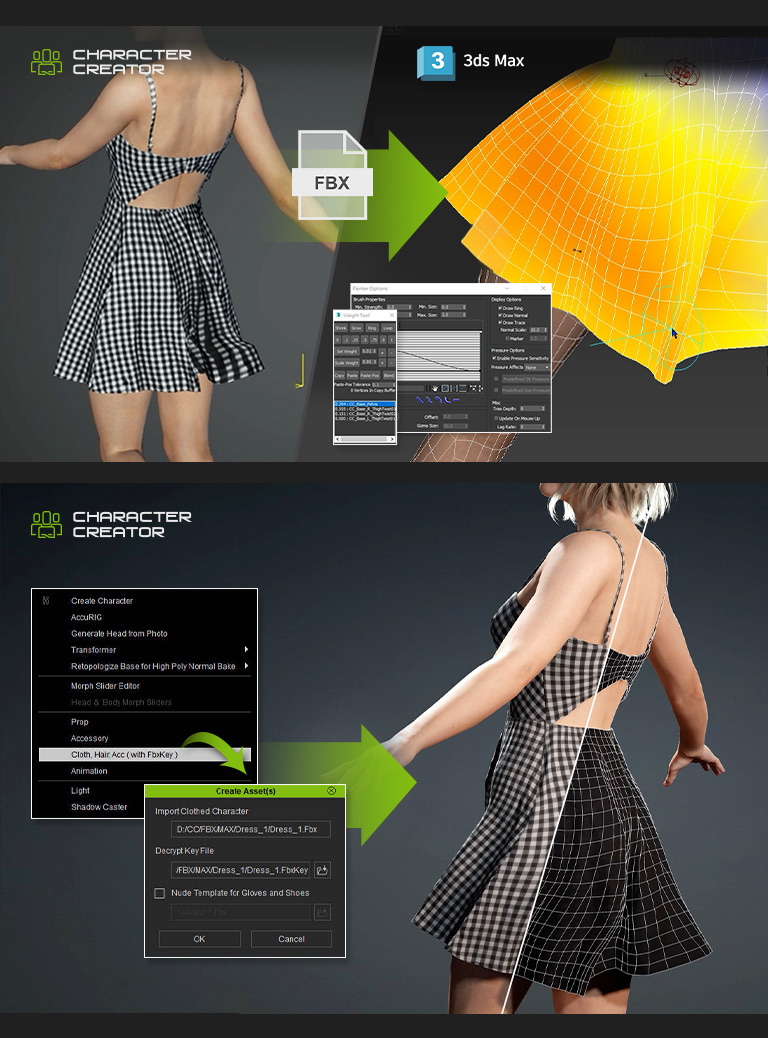
Rather than transferring skin weights from cloth templates or assigning them within Character Creator, developers well-versed in Blender, Maya, or 3ds Max have the option to enhance skin weights by exporting any clothed CC character as an FBX file. After refining skin weights in their preferred software, these skin weight adjustments can be seamlessly imported back into Character Creator using the FBX import functionality.
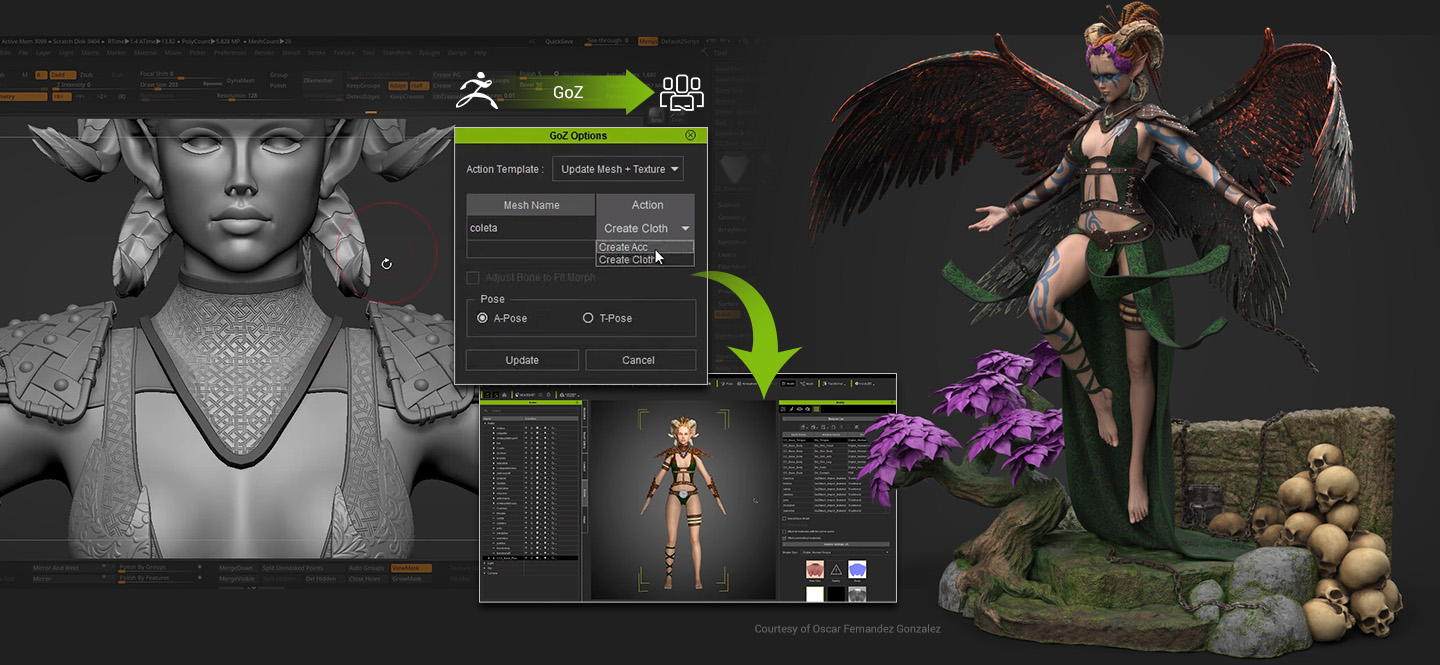
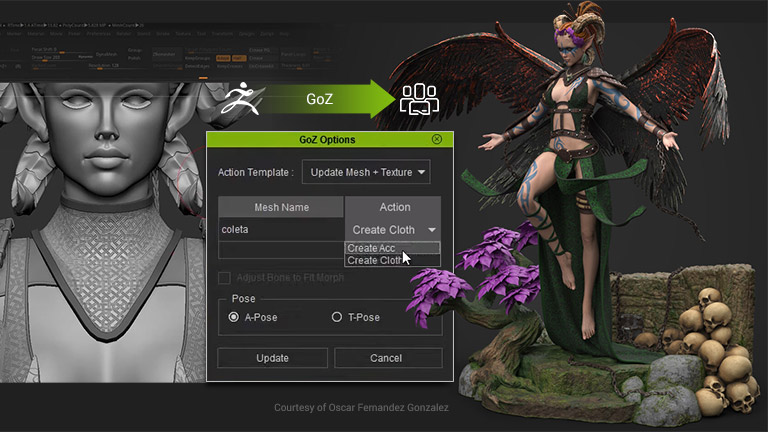
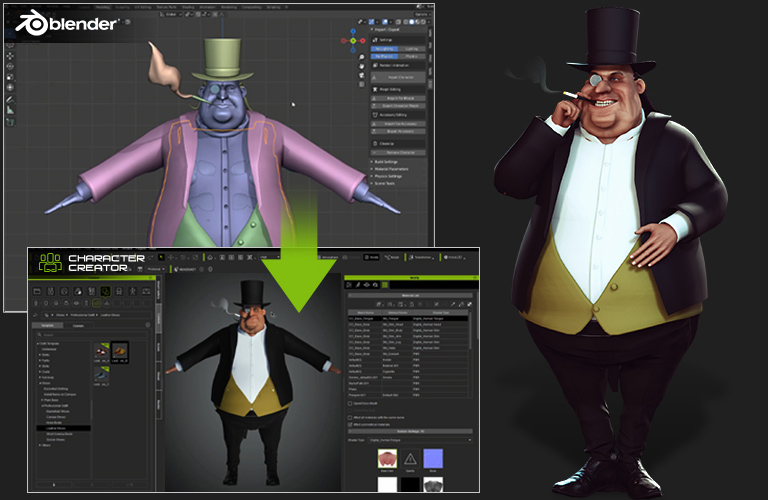
Experience a seamless and integrated GoZ connection with ZBrush, seamlessly facilitating the creation of custom character assets. With a single click, effortlessly transport your CC character to ZBrush for intricate shape sculpting, or fashion 3D outfits, accessories, and hairstyles directly within ZBrush. Enjoy the convenience of GoZ to effortlessly update all newly crafted designs back to the character in CC.
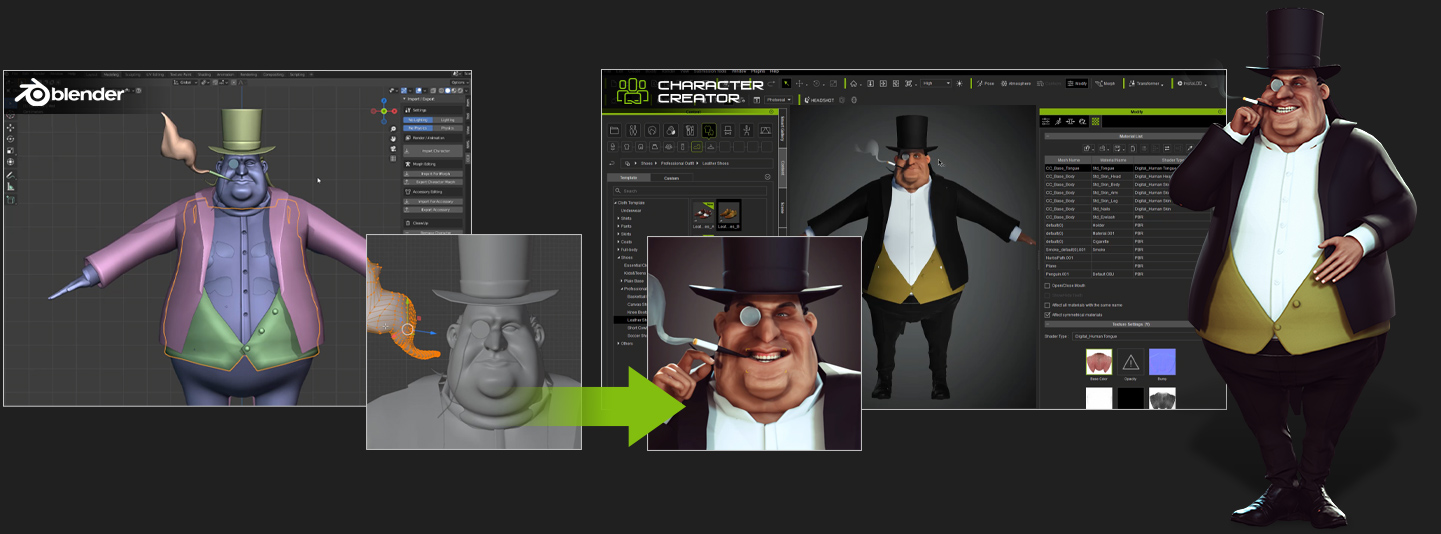
Harnessing the capabilities of Blender's robust geometry and UV editing features, the CC-to-Blender plugin excels not only in automatically configuring material nodes for Blender rendering but also functions as a valuable developer tool for CC asset design. Effortlessly refine character models, fine-tune expression blendshapes, craft unique outfits and accessories, and even engage in weight painting for cloth physics, all within a streamlined workflow.
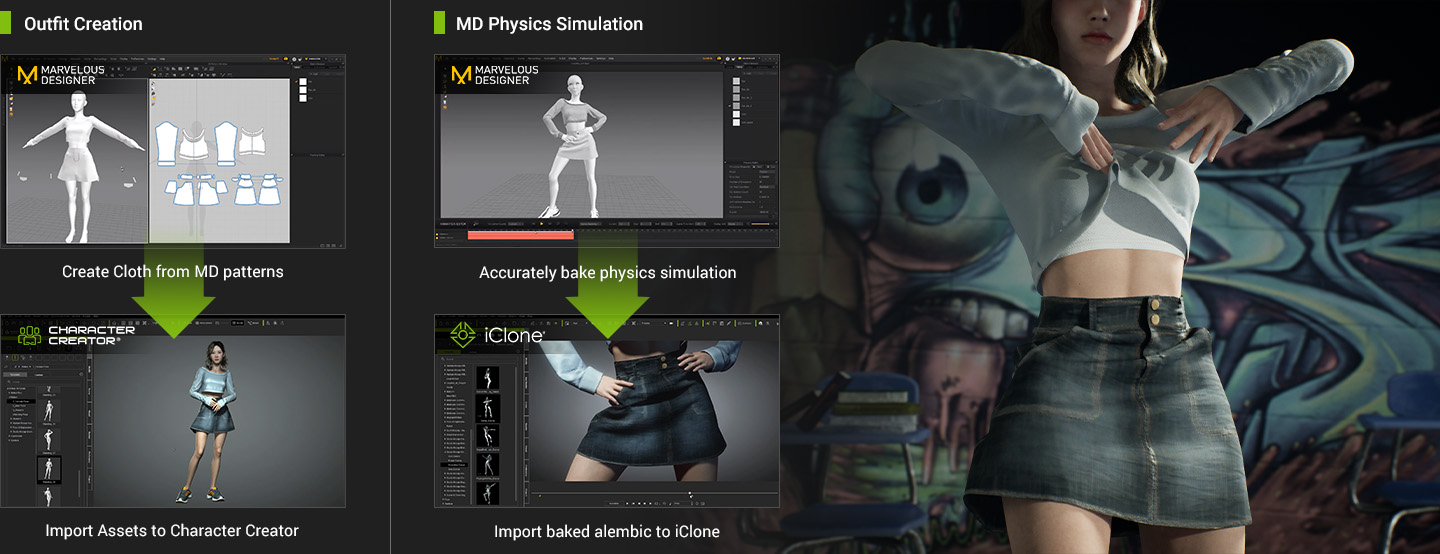
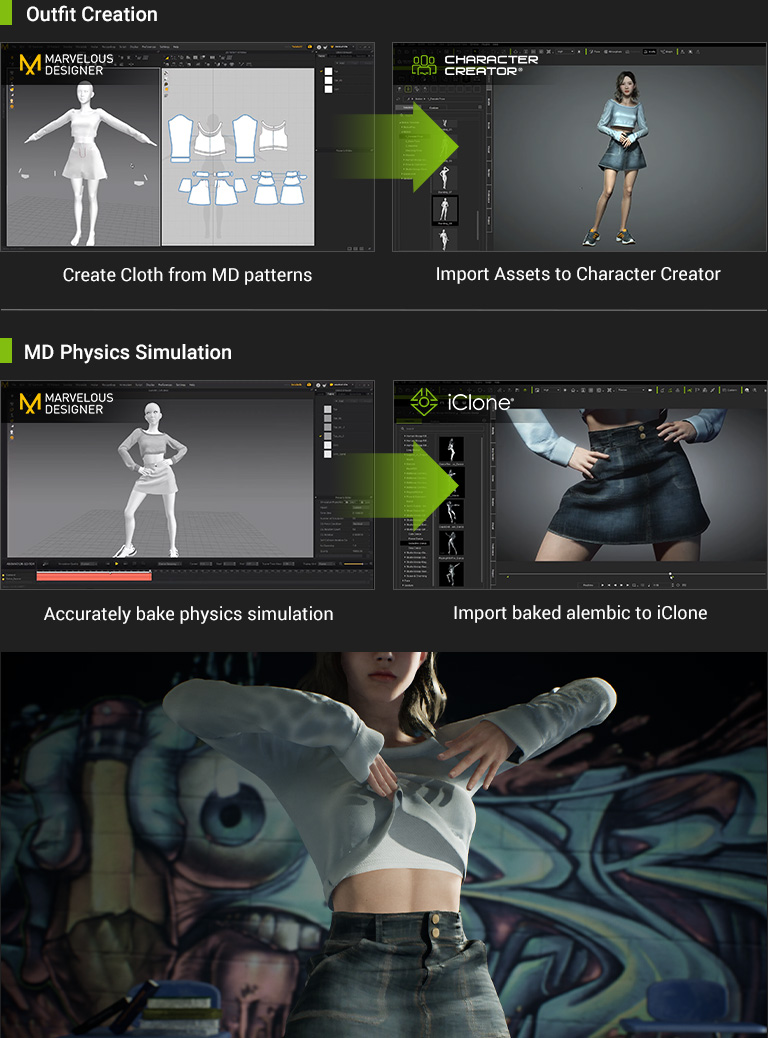
Marvelous Designer is equipped with precise cloth simulation capabilities and rapid physics baking techniques, enabling the creation of lifelike and authentic wrinkles. The resulting animation, along with the exported Alembic file, can be seamlessly imported into iClone and Unreal Engine, facilitating the realization of true-to-life cloth physics animations.
Generate clothing and accessories with AI, then bring them into Character Creator for a seamless, end-to-end workflow. Mix and match with existing CC content to unlock endless character styling possibilities.
From AI mesh generation and polygon reduction to mesh editing and skin weight adjustment, transform AI-generated assets into production-ready, wearable, and animation-ready 3D clothing and accessories. Manual
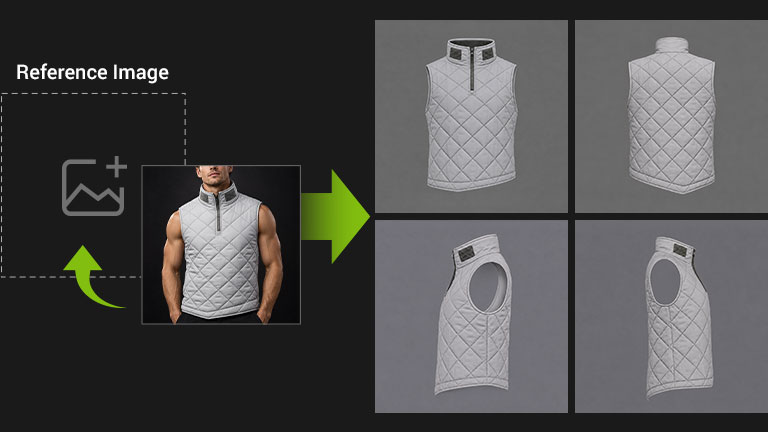
Input a text prompt or reference image to generate a detailed four-view concept. The system automatically poses the garment in A-pose for accurate alignment in later steps.
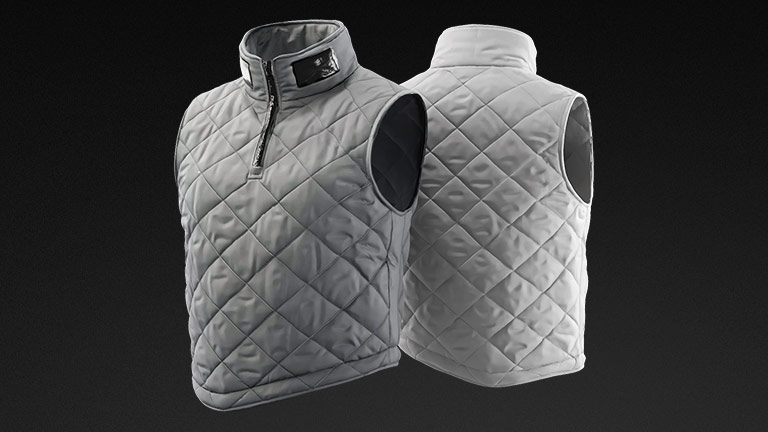
Generate a high-poly 3D model with rich surface details and textures, ready for polygon reduction and mesh refinement.
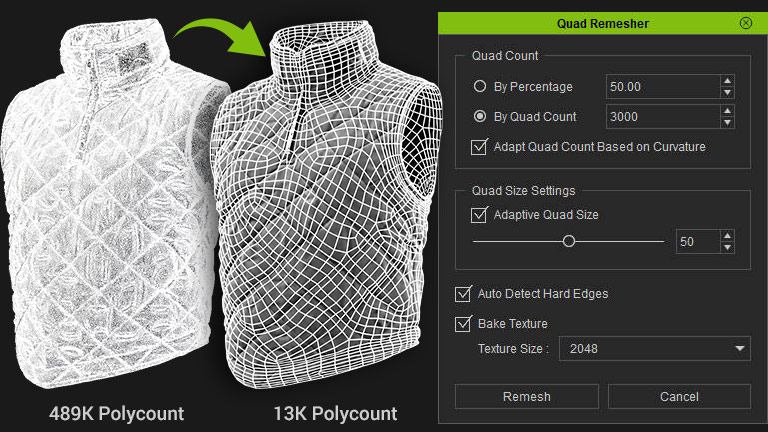
Reduce high-density meshes to production-ready polygon counts in one click, baking high-poly textures to preserve surface details. Manual
Use the Edit Mesh Tool to quickly select and delete inner faces, closed surfaces, or any unnecessary geometry.
Apply built-in skin weight presets tailored to different garment types in one click, ensuring natural clothing deformation across poses and animations. Manual
Generate hard or soft accessories and rig them to your character. Use the Skin Weight Picker to copy skin weights from the underlying layer, ensuring accessories follow character movements naturally.
Refine mesh geometry using edge loops and soft selection for a better fit to the character's body shape and silhouette.
The AI-generated clothing is now a fully converted CC Cloth asset—wearable, animation-ready, and prepared for production.