|
iClone Facial Pipeline in GDC + iClone for Unity Mecanim Tutorials
If you are unable to see this page, Click Here |
|
 |
|
| |
Reallusion's Interactive Experience at GDC
|
|
| |
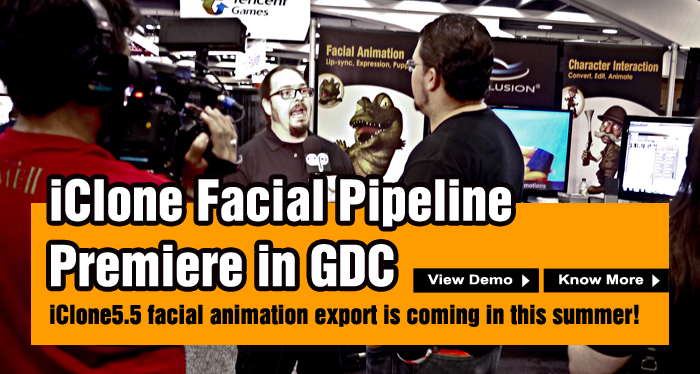
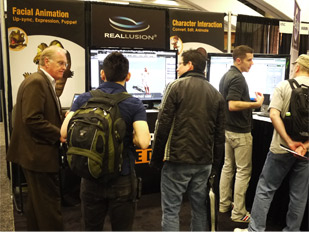
Following the facial animation import capabilities of iClone5.4, we presented the upcoming V5.5, completes the pipeline by incorporating facial motion export as well. The streamlined facial & body animation pipeline thorougly impressed GDC attendees.
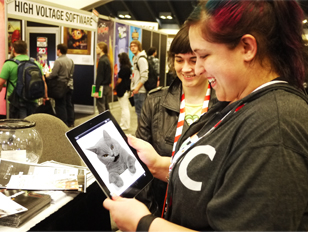
On top of that, we also gave a sneak peek at the CrazyTalk app, which provides a fun & easy way to animate on your iDevice! |
 |
| Know more |
 |
 |
|
|
| |
| |
Reallusion Grows Indie Game Community Worldwide
|
|
| |
 |
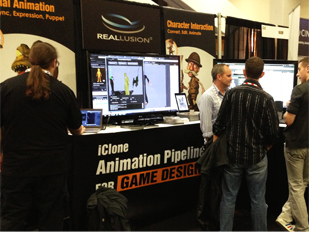
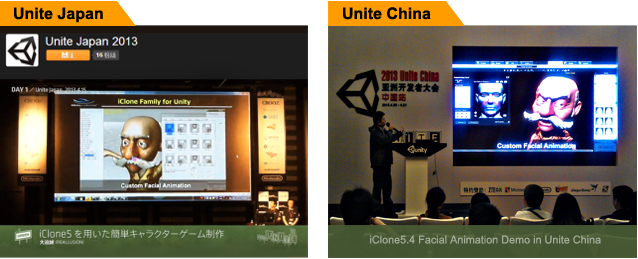
Reallusion has been invited to join Unite 2013, which is an event for developers, enthusiasts and others interested in using Unity. We have shown how the iClone Animation Pipeline can help the game community via fast character creation, motion generation, and flexible file conversion as well as a massive content library. Reallusion is hard at work towards providing indie game developers with the tools they need to enhance their workflow. |
|
 |
 |
| |
| |
Design Talking Characters for Your 3D Tools
|
|
| |
|
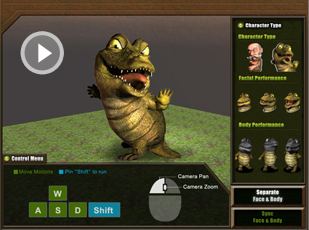 |
The iClone Animation Pipeline is a revolutionary development for CG & game design. For those teams that lack individuals skilled with 3D tools like Maya or Max, iClone can provide you with an exceptionally fast and intuitive facial animation pipeline. Even those who are experienced with other 3D tools can use iClone’s facial animation tools to quickly get exceptional results that can later be refined in your favorite tools.
|
 |
|
| |
| |
iClone for Unity Mecanim Tutorials
|
|
| Mecanim is a new animation system within Unity 4 that allows you to blend motions together and set them up in layers. With the release of Unity 4, importing animated iClone talking characters has become even simpler! Check out the tutorials below to learn more.
|
| View more |
| |
 |
|
 |
|
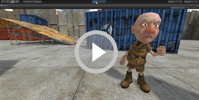 |
| Importing iClone Characters into Unity |
Applying iClone motions to Animator Controllers in Unity |
Importing iClone Facial & Body Animation to Unity |
|
| |
 |
| |
| Reallusion App – Big Lens |
 |
| |
 |
See what others say about Big Lens!
|
 |
 |
| "I have tried about a dozen photo apps and this is my number one favorite! Wow! I am an amateur photographer, but this app makes me look like a pro. The blur is easy to use and the HD effect is worth the whole cost."
|
| - Pershing |
| |
 |
|
| "As a pro photographer that uses this effect with expensive lenses and equipment to sell photos, this app does a pretty good job."
|
| - Stevo23455532 |
| |
 |
|
| Finally a real app that turns iPhone into a real DSLR camera... 5 stars !!" |
| - An Huy Pham |

 |
|
| |
|
|
| |
| Review & Awards
|
 |
"An easy-to-use product that will best suit those starting out in animation." "…iClone is a dream: it intergrates live-input motion capture with things such as basic rigid-/soft-body physics and staged 3D enviroments." |
| |
- 3D Artist |
|
|
| |
|
 |
Reallusion Fan Page (New!) |
 |
YouTube Channel |
| We've moved! Be the first to know about our latest product news, and enjoy amazing discounts exclusively for Facebook fans! |
Subscribe to the Reallusion YouTube Channel and get the newest videos direct to your YouTube account page! |
JOIN NOW  |
SUBSCRIBE NOW |
|
|
 |
Copyright © 2013 Reallusion Inc. All rights reserved |
 |
|
Subscription information
You are
receiving this newsletter because you have previously requested
information from Reallusion.To update your
subscription information click here. To unsubscribe, click here. Do NOT reply to this e-mail if you
wish to unsubscribe or change your address. Please use the
instructions above! Privacy
Statement: Any information collected from our users will not be
sold, shared, or rented. |