iClone5.4 New Features + 3DXchange5.4 New Features
If you are unable to see this page, Click Here |
|
 |
|
| |
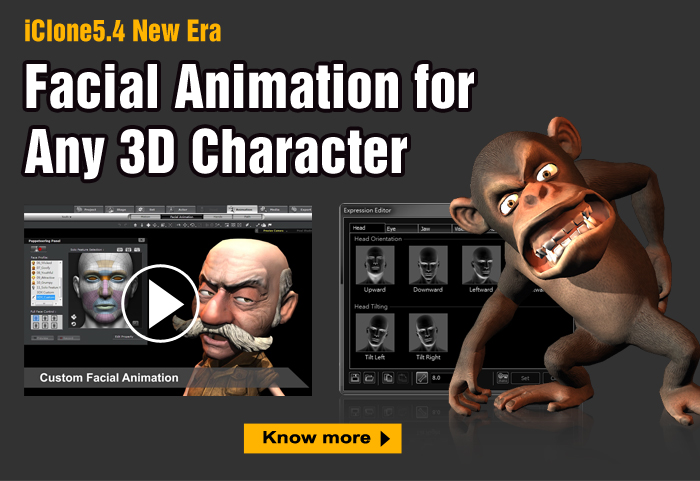
iClone5.4 Enables Facial Animation for Any Character |
|
|
In the iClone 5.4 update, we've synchronized the versions of 3DXchange and iClone to give you a tremendous enhancement for facial animation. This huge update gives you full control over talking characters in iClone. On top of that, flexible control of spring effects allows your characters to perform more naturally. Be sure to search for “New for 5.4” in the online manual to help you get a hang of the new features! |
  |
|
| Import Any Type of Character for Facial Animation |
 |
|
 |
| |
|
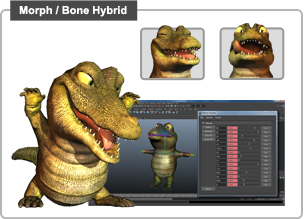 |
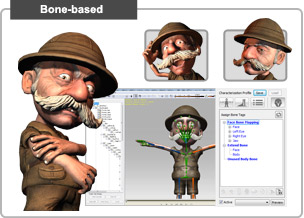
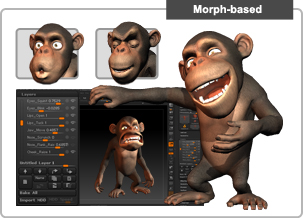
In version 5.4, your imported characters are no longer restricted to body animation! We support all types of talking characters to help you bring in more professional character assets to make animations richer, no matter if your character was designed through a morph or bone rig method. |
| Know more
|
|
 |
| Extended Bone Editing |
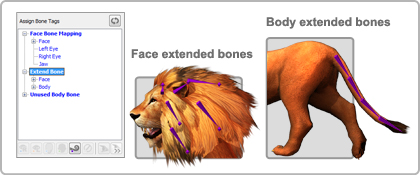 |
Previously, extended bones such as ears and tails could not be edited. However, now you can edit extended bones under the body and head nodes with IK animation, or apply spring effects all as you wish. |
| Know more |
|
| |
| Multiple Spring Tracks for Natural Movement |
|
Motion Modify your Character to Enhance Variety
|
 |
|
 |
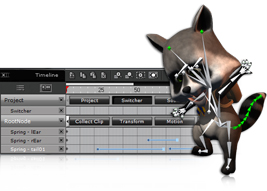
| With access to the spring multi-track settings in the Timeline, you can toggle spring effects on and off to have more control over exactly how your spring-enabled limbs and accessories animate. |
|
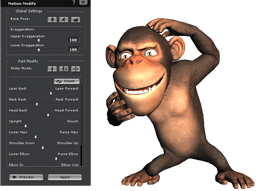
The new Motion Modify tool is closely related to the Motion Puppet tool, and allows you to freely adjust different body part movements with different slider controls after post-recording to fix any motion posture issue, or to alter the same motion for various looks. |
| Know more |
|
Know more |
|
| |
  |
|
| |
| |
Learn with Our Tutorials to Get the Hang of It |
|
|
| Importing Characters with Facial Bones and Morph Data |
|
Importing DAZ Characters with Facial Morph Data |
 |
|
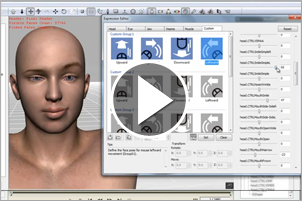 |
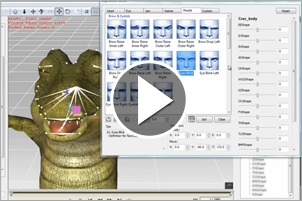
| Learn how you can combine both facial bones and blend shapes to create more detailed animations, and how you can import these special types of characters into iClone. |
|
With the help of the DAZ Genesis Extension, you can auto-convert DAZ characters into iClone with a single click, and even customize your own expression. |
| View more |
|
View more |
|
| |
| |
See How Other Users Do It |
|
| |
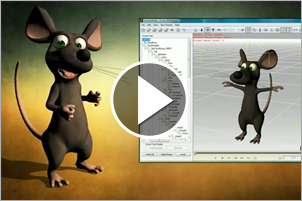
| Bring in DAZ Character and Apply Spring Effects |
|
Create Cartoonish Facial Expression and Motions |
 |
|
 |
| See how you can import a mouse character from DAZ with cute facial expressions and apply spring effects on the nose and ears.
|
|
Alemar created two characters from sculpting in ZBrush. Check out how to create the cartoonish style for the facial animation and motions.
|
| View more |
|
View more |
|
| |
|
|
| |
| Review & Awards
|
 |
"The iClone5 software from Reallusion enables you to turn your story ideas into smooth, animated graphics that have a polished appearance."
|
|
 |
"Using iClone, creating an avatar in your own image and animating it is quick, simple and fun."
|
| |
- Cinema Without Borders |
- Alan Marques (3D World) |
|
| |
 |
OFFICIAL FACEBOOK PAGE |
 |
YouTube Channel |
| Be the first to know about our latest product news, and enjoy amazing discounts exclusively for Facebook fans! |
Subscribe to the Reallusion YouTube Channel and get the newest videos direct to your YouTube account page! |
JOIN NOW  |
SUBSCRIBE NOW |
|
|
 |
Copyright© 2013 Reallusion Inc. All rights reserved |
 |
|
Subscription information
You are
receiving this newsletter because you have previously requested
information from Reallusion.To update your
subscription information click here. To unsubscribe, click here. Do NOT reply to this e-mail if you
wish to unsubscribe or change your address. Please use the
instructions above! Privacy
Statement: Any information collected from our users will not be
sold, shared, or rented. |