|
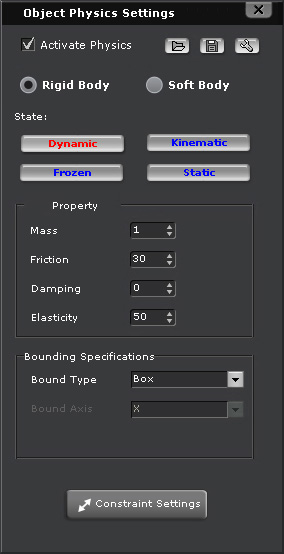
Please refer to the links below for more information about parameters in the Physics Object Settings panel. |
-
 : Rigid Body Simulation is on.
-
 : Rigid Body Simulation is off.
 button (Shortcut: Space bar) to start the simulation.
The simulation results of all rigid bodies (Kinematic object is excluded)
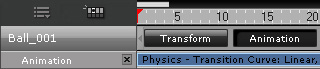
will be stored in their Animation tracks.
button (Shortcut: Space bar) to start the simulation.
The simulation results of all rigid bodies (Kinematic object is excluded)
will be stored in their Animation tracks.
|
|
|
All free-falling objects will be continuously dropping during simulation unless you have added a physics floor to hold them before the simulation. |
|