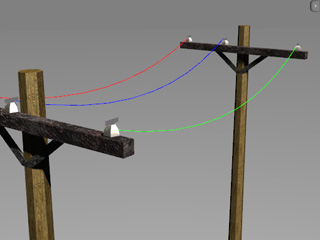
Rope (New for 5.1)
The Rope constraint draws a physics rope between the target and the constraint object. No matter
if the physics objects are moving or not, you are able to adjust their paths by adjusting the setting to define the
bouncing, stretching and the damping behavior of the rope. If there are still physics objects at the both ends of the rope,
then you can create electric wires or ropes around a fighting ring. If you assign the physics object at one end
to be dynamic or frozen, then a bungee jumping prop can be created.
Rope between Still Objects
-
Apply a prop (in this case, an insulator). Transform it to a desired position, size and angle.
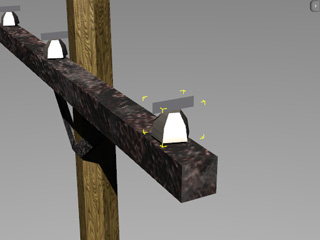
-
Set the prop as Kinematic or Static.
-
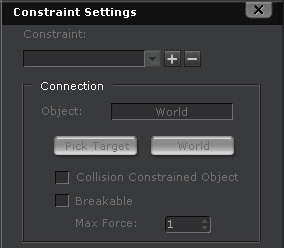
In the Object Physics Settings panel, click the
 button to open the
Constraint Settings panel (Shortcut: Shift + F10).
button to open the
Constraint Settings panel (Shortcut: Shift + F10).
-
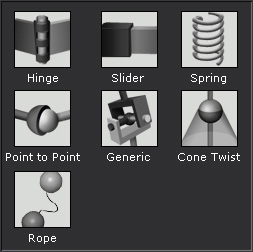
Click the
 button
and select Rope constraint type from the list.
button
and select Rope constraint type from the list.
-
In the Connection section, you may pin the other end to
another still physics object by clicking the Pick Target
 button.
Please refer to the Setting Connection Relationship section for more information.
button.
Please refer to the Setting Connection Relationship section for more information.
-
Pick another Kinematic or Static prop. The rope will then be automatically produced. You may repeat the step to create more ropes.
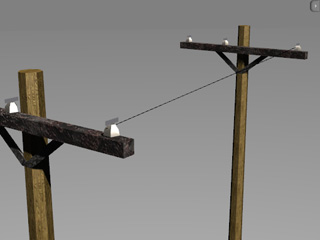
|
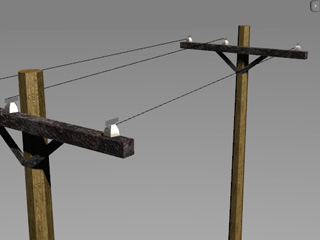
|
|
Pick another Static insulator to create a rope.
|
Two other ropes are generated with the same steps.
|
-
Play to simulate the rope animation.
|
Note:
|
|
Because the rope is a soft body object, please make sure the Soft Body Simulation
 button is activated before simulation. button is activated before simulation.
|
Setting Rope Property
In the
Property section of the same panel,
you are able to adjust the Mass, Segment, Damping, Stiffness and Interaction values to define the
appearance of the rope.
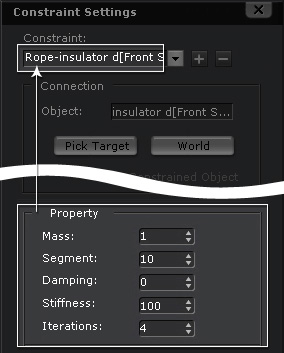
-
The Mass determines the response when the rope collides with other physics objects. Please refer to
The Properties of a Rigid Body section
for more information.
-
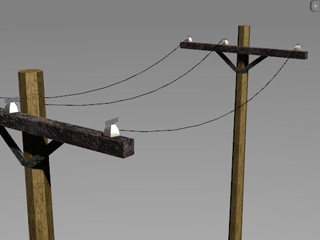
The Segment determines how many short lines make up the composition of the rope. The more segments, the smoother the rope's appearance.
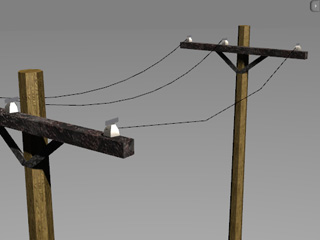
|
|
|
Segment = 3
|
Segment = 10 (default)
|
-
The Damping decides the air resistance of the rope so
that it falls slower. Please refer to
The Properties of a Rigid Body section
for more information.
-
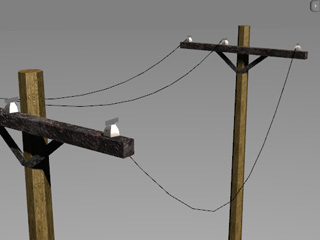
The Stiffness causes the rope to be stronger of softer.
|
|
|
|
Stiffness = 100
|
Stiffness = 10
|
-
The Iterations determine how the tightness of a rope is calculated. the
less times used for calculations, the looser the rope is; and vice versa. Please refer to the
Stiffness, Bending Constraints and Solver Iterations section for more information.
|
Note:
|
-
In the Display section, you can define the color of or show/hide the rope.
-
Click the Redraw button if sometimes the rope does not appear correctly.
|
Rope with One End Connected to a Dynamic Object
If one end of the rope is connected to a Dynamic or Frozen object, then the object will fall but be held by the rope without falling forever.
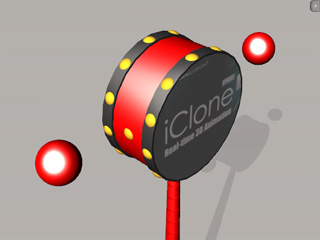
In the following example, you will find out how to connect a dynamic bead to a
Chinese drum toy with rope constraint.
-
Apply beads. Set them as Dynamic rigid body. Also set the drum as Kinematic because it will
be controlled to animate later.
-
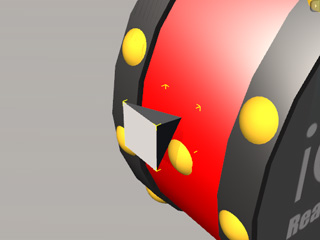
Apply two pyramids and place them on each side of the
toy drum; link or attach them to the toy drum. Set them as Kinematic.
-
Apply the Rope constraint to the beads.
-
Pick the pyramids as the targets for the beads. The rope will be automatically connected between them.
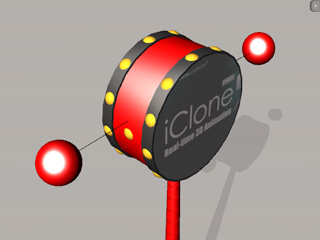
The pyramids are set as dummy and hidden.
-
Play and rotate the drum to simulate the result.