|
|
|
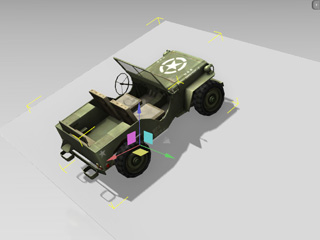
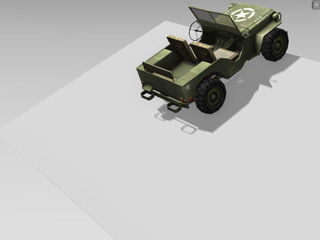
World coordinate of the pivot. |
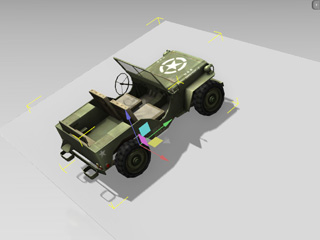
Local coordinate of the pivot. |
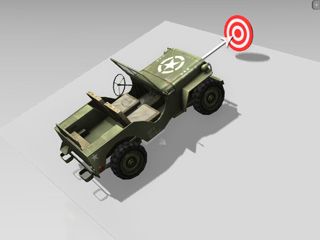
Although the pivot of a prop is merely a point, it still has its own orientation; the orientation of the pivot can be aligned to the world coordinate or to the local coordinate, which tremendously affects the Local movements and the Scaling directions of the prop.
|
|
|
|
World coordinate of the pivot. |
Local coordinate of the pivot. |
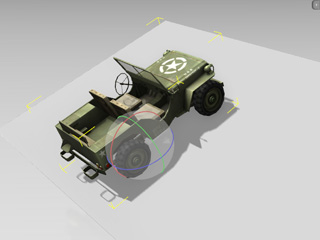
 moving tool; which means to move the object
along the X, Y, Z of the
world coordinate.
moving tool; which means to move the object
along the X, Y, Z of the
world coordinate.
|
|
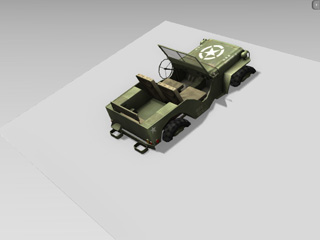
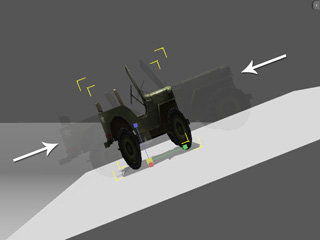
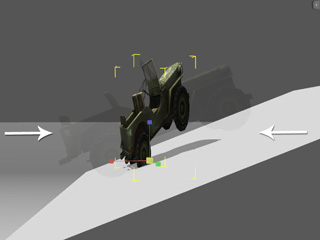
You can not easily move the jeep along the ramp with World moving tool. |
 moving tool; which means to move the object
along the direction of the prop.
moving tool; which means to move the object
along the direction of the prop.
|
|
Use the Local moving tool instead. |
 object tool is for Local Rotation only.
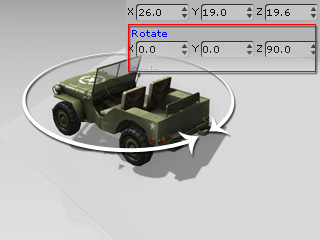
If you want to rotate the object according to world coordinates, you may either switch to the Parent Rotation
object tool is for Local Rotation only.
If you want to rotate the object according to world coordinates, you may either switch to the Parent Rotation
 tool, or go to the Modify panel >> Transform section,
and enter values into the Rotate numeric fields.
tool, or go to the Modify panel >> Transform section,
and enter values into the Rotate numeric fields.
|
|
|
Local rotation only. |
Type in values for world rotation. |
 tool is also for Local Scale only. This can prevent the prop from
skew or distortion when you scale it.
tool is also for Local Scale only. This can prevent the prop from
skew or distortion when you scale it.
|
|
|
The prop is scaled by the Local coordinate. (No skew) |
The prop is scaled by the World coordinate - not used in iClone except with the Prop Puppeteering feature. (Skew occurs) |