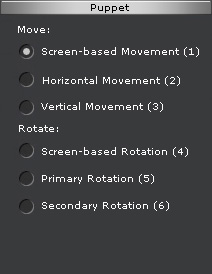
In the Puppet section of the Direct Puppet panel, you can find the
Rotate group with 3 radio buttons.
You may select one of the buttons to decide the way you wish to puppet the selected body part.
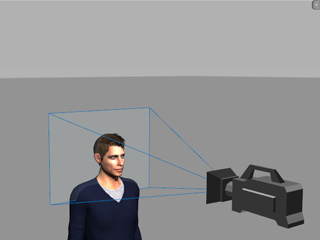
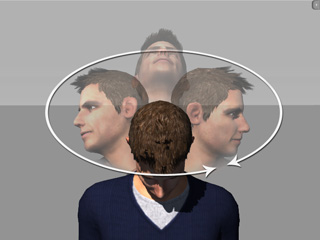
This is a way to rotate a body part on the plane of the screen. Take note that the angle of the camera affects the puppeteering result. This is the freest puppeteering mode available.
|
|
|
The camera viewing plane. |
The screen-based puppeteering result. |
|
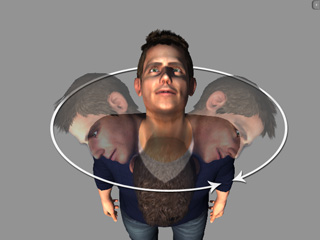
|
|
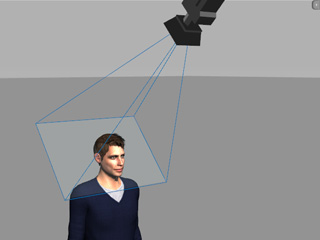
Rotate the camera viewing plane. |
The screen-based puppeteering result changes. |
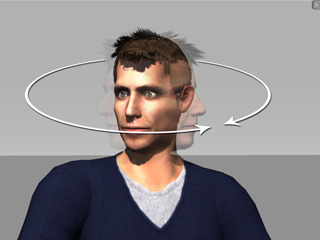
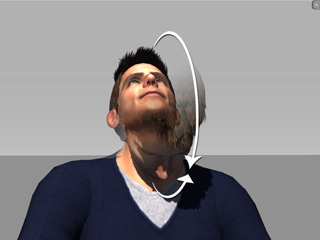
Primary Rotation is a character-based rotating method, which has the body part rotate in the same often rotating pattern. It takes less energy to do such a movement and it is more frequent in human motion, so it is put as the primary mode.
|
|
|
Hover your cursor left and right. |
Hover your cursor up and down. |
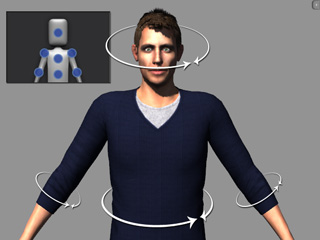
Basically, when you move your mouse left and right, the Primary Rotation mode rotates the bone around its long axis.
|
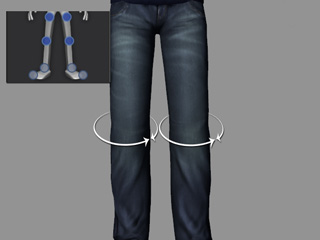
|
However, there are some body parts that have different primary rotate directions.
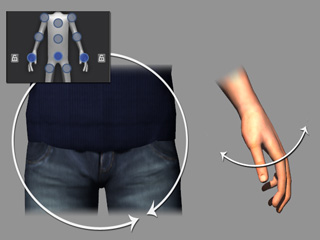
|
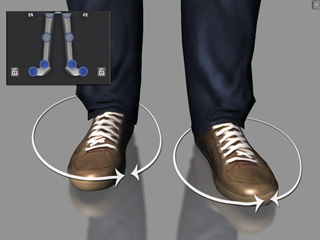
|
The Secondary Rotation rotates the body part around its less used rotation pattern. When you move your cursor up and down, the rotation is identical to the Primary Rotation mode; however, as you move your cursor left and right, the body part rotates in a rare rotation direction.
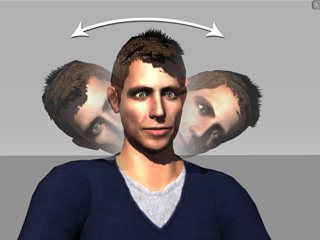
|
|
|
Move your cursor left and right; the rotate direction is different, which is an uncommon rotation pattern. |
Move your cursor up and down to have the same results as with the Primary Rotation mode. |
|
Note: |
|