Adjusting the Curve of Transition Methods
The transition methods include Linear, Ease In, Ease Out, Ease In & Out, Ease Out & In,
and Step. They all have own default speed curve. You can dramatize the result by changing the shape of the curve.
-
In the target track of the timeline, set two keys (take the Transform track
as an example).
-
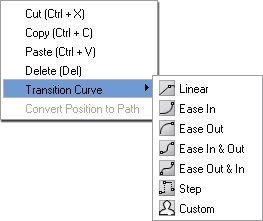
Right click on the Later one. Select Custom from the Transition Curve entry of the menu.
-
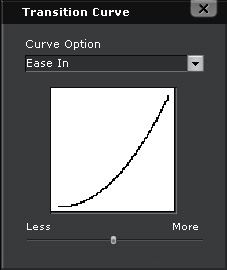
The Transition Curve panel displays.
-
Use the Curve Option drop-down list to select a transition method, the curve will change
accordingly.

|

|
|
Ease In
|
Ease Out
|

|

|
|
Ease In & Out
|
Ease Out & In
|
-
Drag the Less/More slider to decide the oblique status of the curve.
Please note that only the curves for Ease In, Ease Out, Ease In & Out and Ease Out & In
can be adjusted.
Take the Ease Out & In method to view the dramatized results.