|  Visual gallery based content for faster
image creation
Visual gallery based content for faster
image creation
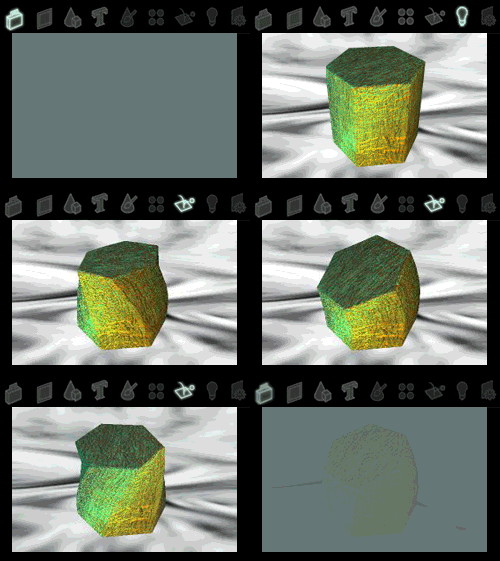 Effect3D
Studio uses a simple 8 step process
to create professional looking graphics. The intuitive
graphical user interface is very easy to
use and presents all the effect parameters in a logical way.
The main navigation
bar is provided to quickly switch between creation stages.
All backgrounds, 3D objects, rendering styles, material effects,
lighting and animation content
is cleverly categorized for easy browsing. Effect3D
Studio uses a simple 8 step process
to create professional looking graphics. The intuitive
graphical user interface is very easy to
use and presents all the effect parameters in a logical way.
The main navigation
bar is provided to quickly switch between creation stages.
All backgrounds, 3D objects, rendering styles, material effects,
lighting and animation content
is cleverly categorized for easy browsing.
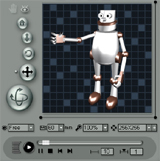 Real-time 3D preview window
Effect3D Studio's real-time
3D preview window provides a WYSIWYG editing
environment. The in-built 3D
object polygon count indicator can be used
to gauge the quality of the 3D object being used. To view
your image as it will appear when exported you can use the
full-screen
preview to see the image full size.
Because the scene you see in the 3D preview window is in
full 3D, you have complete control over the camera which provides
the viewpoint within the 3D world. You are able to move,
rotate, zoom, or spin the camera to adjust scene appearance.
Preset camera views - free, front,
left, right, top, & bottom are also provided for
you to quickly move from one view to another. Lastly, just
as with a real camera you can adjust
the camera lens to alter depth perspective.
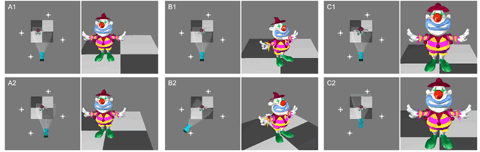
Incremental editing, allowing the addition
of many 3D objects in one scene
Using the "apply as background" button  Incremental editing is
possible. This allows the
addition of many 3D objects in one scene,
this is done by applying an existing loaded 3D object to the
background. Only one of the 3D objects can be animated at
any time.
Incremental editing is
possible. This allows the
addition of many 3D objects in one scene,
this is done by applying an existing loaded 3D object to the
background. Only one of the 3D objects can be animated at
any time.
|