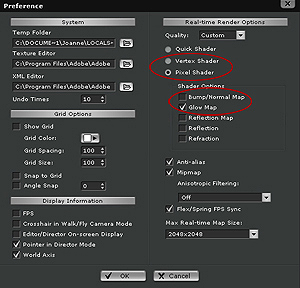
| 1. Open the Preference Menu |
| Make sure that Pixel Shader is selected and GlowMap is checked. |
 |
|
| 4. |
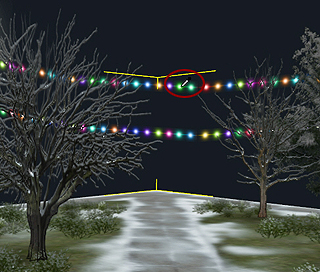
Choose the area that you want it to be flashing |
|
 |
|
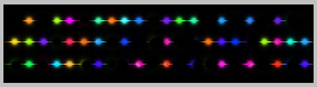
| 6. Make another Glow texture |
| (Black area won't light up. You can draw any color you want in other areas.) |
 |
|
| 8. |
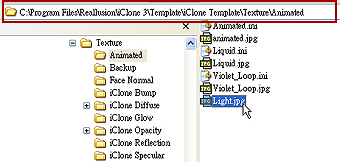
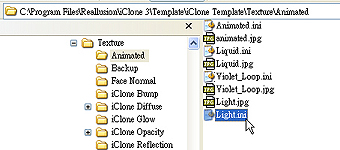
Save the final version file to the location below |
|
 |
|
| 10. |
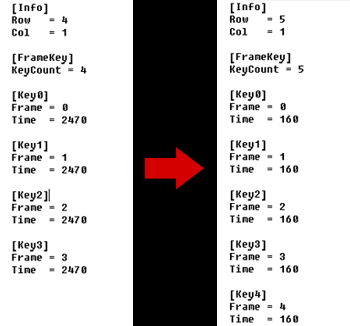
Open Light.ini, and change the parameters to become the same as the picture in the right, and then save it |
|
 |
|
| 12. |
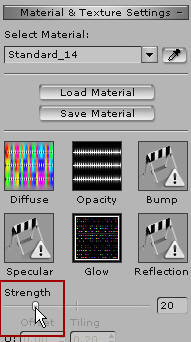
Drag the Strength to the brightness that you need |
|
 |
|
|
| 2. |
Load the iprop file that you want it to be flashing from the Content Manager |
|
|
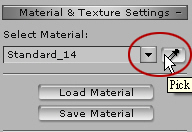
| 3. Click on the Pickbutton |
 |
|
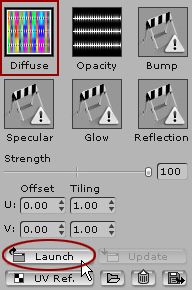
| 5. Clcik on Diffuse and then click Launch |
 |
|
|
|
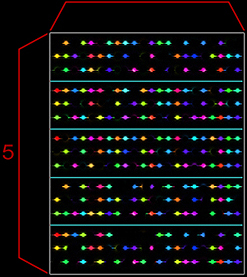
| 7. Make 5 different styles |
| Line them up and save as a new texture Light.jpg |
 |
|
| 9. |
Copy the already existed Animated.ini, and save the file name to Light.ini (Must be the same as the picture file name.) |
|
 |
|
| 11. |
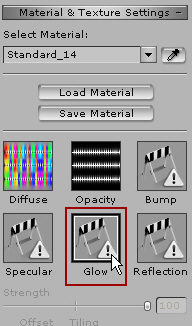
Go back to iClone3, and double click on Glow. Load Light.jpg |
|
 |
|
| 13. Play to see the effect |
 |
| 14. |
If it's what you want. Add it in Content Manager and it will be saved |
|
 |
|